
Buying an IPTV subscription is only half the job done. Once you have your channel list, you still need a good IPTV player app actually to watch anything, and this is the part a lot of guides skip over. The player is the app that turns your channel list into a clean, working screen with a proper guide, favorites, and smooth playback.
Picking the best IPTV player matters more than most people realize. A weak player can make even the best IPTV subscription feel slow and messy, while a good one turns a plain playlist into something that feels like Netflix. In this guide, we cover 15 real, working IPTV players, what device each one is built for, whether it is free or paid, and who it actually suits. Every player listed here is a genuine app you can install today, nothing made up.
What to Look for in the Best IPTV Player
Before picking an IPTV player app, it helps to know what actually makes one good. Here are the features worth checking.
M3U playlist and Xtream Codes support. Your IPTV provider will give you either an M3U playlist link or Xtream Codes API login details. A good player needs to accept both, since different providers use different formats.
Electronic Program Guide. A working EPG shows you what is playing now and what is coming up next, so you are not guessing which channel has your show.
Buffer-free playback. This is the single biggest complaint people have about IPTV players. A well-built app should keep the picture stable even during a busy live match, instead of freezing every few minutes. A slow internet connection can also cause this, so pairing your player with a good VPN for streaming sometimes helps if your ISP is throttling your connection.
Favorites and multiple playlists. If you use more than one IPTV provider, or you just want quick access to your regular channels, look for a player that supports a favorites list and can hold multiple playlists at once without mixing them up.
Catch up TV and VOD. Some players let you rewind live TV or replay something you missed, and most also support VOD libraries for movies and series, not just live channels.
Device support. Check that the player actually works on your device, whether that is an Android phone, a Firestick, a Smart TV, an iPhone, or a Windows computer, since not every app runs everywhere.
Quick Comparison Table
| Player | Best Platform | Free or Paid |
|---|---|---|
| TiviMate | Android TV, Firestick | Free with paid upgrade |
| IPTV Smarters Pro | Android, iOS, Windows, Firestick | Free |
| XCIPTV | Firestick, Android TV | Free |
| Perfect Player | Android | Free |
| GSE Smart IPTV | Android, iPhone | Free with paid upgrade |
| Smart IPTV (SIPTV) | Samsung and LG Smart TV | Paid, one time |
| Televizo | Firestick, Android, mobile | Free with paid upgrade |
| IPTV Extreme Pro | Android | Free |
| Chillio | Apple TV, iPhone, iPad, Mac | Free with paid upgrade |
| Sparkle TV | Android | Free with paid upgrade |
| iMPlayer | Android, Firestick | Free with paid upgrade |
| StreamVault | Samsung Smart TV, Android | Free with paid upgrade |
| Waveo | Android, Android TV | Free with 14-day trial |
| SmartStream Player | Android, iOS | Free with paid upgrade |
| VLC Media Player | Windows, Mac | Free |
The 15 Best IPTV Players in 2026
We tested and researched each app below based on real features, actual app store listings, and genuine user feedback, not guesswork. Here is how they compare.
1. TiviMate, Best IPTV Player for Android TV and Firestick
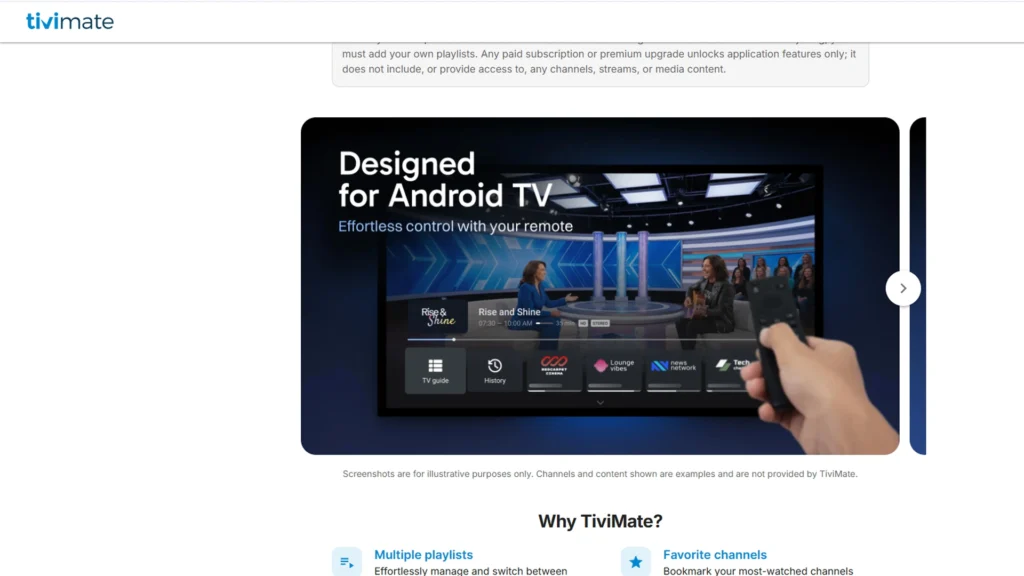
TiviMate is one of the most widely used IPTV player apps for Android TV boxes and Amazon Firestick, and it’s usually the first app long-time IPTV users recommend to newcomers. Its interface is deliberately built to feel like a cable box rather than a generic streaming app — a proper grid-style channel guide, fast channel switching with number-pad jumping, and manual drag-and-drop channel sorting so your most-watched channels sit exactly where you want them.
The free version covers the basics: adding a playlist, browsing channels, and using the EPG. Most regular users eventually move to TiviMate Premium (roughly $10/year or a one-time lifetime fee around $30 through the separate Companion App), which unlocks parental controls, picture-in-picture, custom channel groups, a proper favorites manager, and support for multiple playlists loaded at once. It accepts both M3U playlists and Xtream Codes, so it works with almost any IPTV provider. Xtream Codes connections generally load EPG data and VOD sections automatically, while M3U playlists may need a separate XMLTV EPG URL added manually.
One thing worth noting: TiviMate isn’t on the Amazon App Store, so Firestick users install it by sideloading through the Downloader app rather than a direct store install. If your main screen is a TV connected through Firestick or an Android TV box, this is usually the first player people try.
Pros
- Cable box-style grid EPG and fast channel navigation
- Manual channel sorting and custom groups
- Supports multiple playlists at once (Premium)
- Frequent updates and active development
Cons
- Android TV/Fire TV only no iOS, Windows, or phone-first UI
- Requires sideloading on Firestick (not on Amazon Appstore)
- Best features (multiple playlists, recording, parental controls) are locked behind Premium
2. IPTV Smarters Pro, Best IPTV Player for Multiple Devices
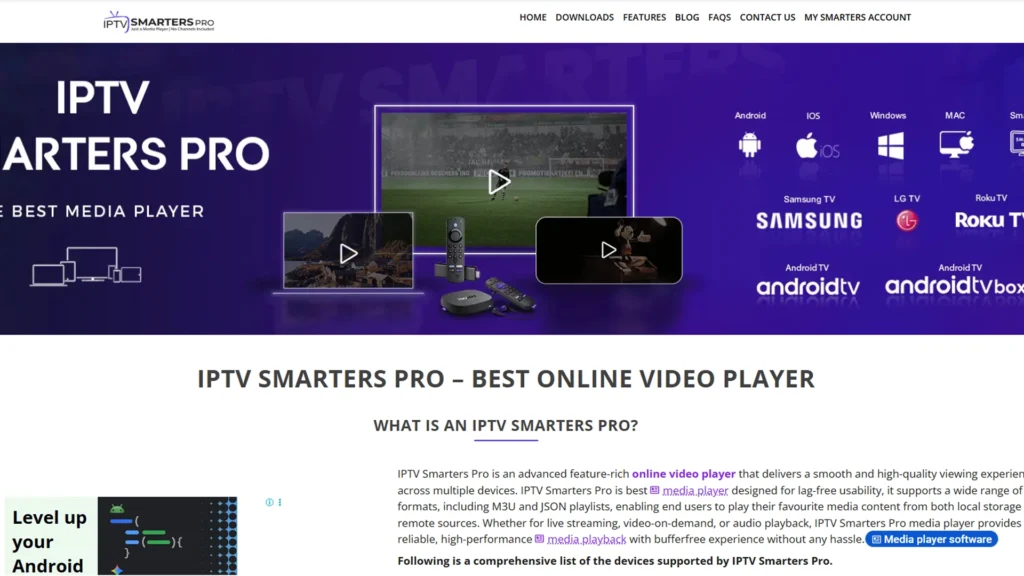
IPTV Smarters Pro has been around for years and remains one of the most trusted names in this space, mainly because it works on almost everything. It runs on Android, Firestick, iPhone, iPad, and Windows, which makes it a strong pick if you want the same app and login working across your whole household instead of juggling different players on different screens.
It comes with a built-in connection speed test (useful for diagnosing buffering before blaming your provider), parental controls with a PIN lock, recording on supported setups, and a proper favorites manager, and the free version already includes most of the important features, which is unusual for this category. Setup is also one of its biggest strengths: enter your Xtream Codes server URL, username, and password, and the app automatically organizes everything into clean Live TV, Movies, and Series tabs with poster artwork, rather than a flat list of stream links.
For anyone who wants IPTV player for iPhone support alongside their TV setup, Smarters is one of the few options here that genuinely covers mobile well too, without feeling like a cut-down version of the TV app.
Pros
- Truly cross-platform: Android, iOS, Windows, Firestick, Android TV
- Fast, simple Xtream Codes setup with auto-organized VOD
- Built-in speed test and parental controls
- Most features included free
Cons
- Less visual customization than TiviMate’s guide-focused interface
- EPG display is more of a scrolling list than a full grid guide
3. XCIPTV, Best Free IPTV Player
If you want a completely free IPTV player with no hidden costs or premium paywall, XCIPTV is worth trying first. It runs on Firestick and Android TV, has a clean interface with a working TV guide, and — unusually for a free app — lets you manage your playlists directly through its own companion website rather than only inside the app itself, which makes re-adding or editing a playlist much less fiddly.
One genuinely useful touch is that XCIPTV supports handing off playback to external video players like MX Player, which can help reduce buffering or fix playback issues on streams that don’t behave well through the app’s default engine. This kind of flexibility is normally reserved for more advanced apps, so it’s a nice inclusion in a fully free player.
Since it doesn’t require any payment to unlock its main features, this is a solid starting point if you’re testing IPTV for the first time and don’t want to commit to a paid app before you know what you actually need.
Pros
- 100% free with no premium tier to unlock core features
- Works with external players (MX Player) for better compatibility
- Playlist management through its own website
Cons
- Firestick and Android TV only no iOS or Windows version
- Interface is functional but less polished than TiviMate or Smarters Pro
4. Perfect Player, Best IPTV Player with EPG
Perfect Player has stayed popular for a simple reason: its EPG is genuinely easy to use and reliable, which isn’t always true for other free apps. It’s a lightweight, set-top-box-style player that’s been around for years, so it tends to run smoothly even on budget Android TV boxes and older hardware where flashier apps might struggle.
It supports both M3U and Xtream Codes, plus XMLTV and JTV EPG formats, and lets you manage multiple playlists inside the same app without them mixing together. It also supports several languages including English, Portuguese, Russian, and Spanish, which makes it a good choice if you’re outside the United States. There’s also support for handing playback off to an external player, and multiple decoding modes (Native, Hardware, Software) to tune performance for your specific device.
The layout is simple, with just a handful of menus, so it suits people who don’t want to spend time digging through settings. Once your playlist and EPG URL are configured, it tends to run for months without needing attention.
Pros
- Reliable, easy-to-configure EPG (XMLTV and JTV support)
- Lightweight — runs well on older or budget hardware
- Multi-language interface
- Supports multiple playlists
Cons
- Interface looks dated compared to newer apps
- Fewer “extra” features (no built-in catch-up/DVR) compared to premium players
5. GSE Smart IPTV, Best IPTV Player for Android and iPhone
GSE Smart IPTV is one of the more flexible players available, since it runs on both Android and iOS from the same app, rather than having separate apps with different feature sets. It supports M3U playlists, Xtream Codes, and even EPG imports from external sources, giving you more control over how your guide looks if your provider’s built-in EPG isn’t great.
It also includes a parental lock, multi-screen support, and its standout feature, the ability to save multiple playlists inside one app, which is useful if you switch between more than one IPTV service or test different providers over time. Because it genuinely covers IPTV player for Android and iPhone in a single app with the same interface, it’s a convenient pick for anyone who wants one login experience working across their phone and tablet.
Pros
- Same app and experience on both Android and iOS
- Multiple playlist management in one place
- Flexible EPG options, including manual XMLTV import
- Parental lock and multi-screen support
Cons
- Settings menu can feel cluttered with so many configuration options
- Less visually polished than TiviMate’s dedicated guide view
6. Smart IPTV (SIPTV), Best IPTV Player for Samsung and LG Smart TVs
If your main screen is a Samsung or LG Smart TV, Smart IPTV is built specifically with that in mind, running natively on the TV itself without needing a separate streaming box. Unlike most players on this list, it’s a paid app with a single one-time activation fee (around €5.49) rather than a subscription, plus a free trial period to test it first, so you pay once and keep using it.
It supports both M3U playlists and MAC address-based activation, and it lets you combine several playlists into one place. Setup is a little different from other apps: after installing, the app displays your TV’s MAC address, which you then register on the official siptv.eu portal along with your M3U playlist link. This takes a few extra minutes compared to other apps, and it’s worth knowing that Samsung has removed the app from its own app store in some regions, meaning Samsung owners may need to sideload it via USB rather than downloading it directly. Once everything is linked, though, it runs smoothly directly on your TV.
Pros
- One-time payment, no recurring subscription
- Runs natively on Samsung, LG, and Sony Smart TVs; no extra box needed
- Supports multiple playlists combined into one list
Cons
- MAC address + portal setup is more involved than a simple app login
- Samsung has pulled it from its app store in some regions, requiring sideloading
- EPG quality depends on whether your M3U playlist includes guide data
7. Televizo, Best IPTV Player for Firestick and Mobile
Televizo works across Firestick, Android TV boxes, and mobile devices, which makes it a flexible option if you want one app across a few different screens rather than device-specific players. The free version works fine but carries ads, and Televizo Premium removes them along with adding backup and restore for your settings, parental controls, and automatic frame rate matching — a detail that helps reduce judder on content that doesn’t match your display’s native refresh rate.
It supports both M3U and Xtream Codes, and the developers update it fairly often, which keeps it feeling current compared to some of the older, less actively maintained apps in this category. The backup/restore feature in particular is a small but genuinely useful touch it means switching to a new Firestick or phone doesn’t mean rebuilding your entire channel setup from scratch.
Pros
- Works across Firestick, Android TV, and mobile from one app
- Backup and restore for settings and playlists (Premium)
- Frequent updates
- Auto frame rate matching reduces judder
Cons
- Free version includes ads
- Some of the more useful features (backup, parental controls) require Premium
8. IPTV Extreme Pro, Best IPTV Player for M3U and MAC Address Setup
IPTV Extreme Pro is a straightforward player that supports both M3U links and MAC address integration, giving it a bit more flexibility than apps that only handle one connection method, useful if your provider issues logins in a less common format. It includes recording, a favorites manager, parental controls, and Chromecast support, which lets you cast content to a TV even if the app itself isn’t installed on that screen.
Playlists can also be managed through the Extreme Pro companion website, which keeps things organized if you’re handling more than one subscription and don’t want to re-enter details directly on your device every time something changes.
Pros
- Supports both M3U and MAC address-based providers
- Chromecast support for casting to other screens
- Includes recording and a favorites manager
- Playlist management via companion website
Cons
- Interface is more utilitarian than visually polished
- Less brand recognition/community support than TiviMate or Smarters Pro
9. Chillio, Best IPTV Player for Apple TV and Mac
Most of the players on this list are built for Android first, which is exactly why Chillio stands out. It runs on Apple TV, iPhone, iPad, Mac, and Android TV, making it one of the few apps here that genuinely feels native on Apple devices rather than a workaround or a port of an Android app.
Its standout feature is a multi-view player that lets you watch more than one channel at once genuinely useful during overlapping live sports alongside pause and catch-up support so you can rewind live channels you’ve already tuned into rather than losing the moment if you look away. If your household leans heavily toward Apple devices, this is worth trying first, since so few dedicated IPTV players give Apple TV and Mac the same attention as Android.
Pros
- Native support for Apple TV, iPhone, iPad, and Mac
- Multi-view for watching multiple channels at once
- Pause and catch-up support for live TV
Cons
- Smaller user base/community compared to Android-first apps
- Fewer third-party setup guides available if you run into issues
10. Sparkle TV, Best IPTV Player with a TiviMate Style Layout
Sparkle TV follows a similar layout to TiviMate, with support for timeshift, DVR scheduling, and VOD catch-up. It’s a newer app but has picked up a steady following among people who want a TiviMate-style experience with a slightly different interface and pricing structure.
The base app is free, though features like the favorites list require Sparkle Plus, purchased through the Google Play Store as an in-app upgrade. Navigation is fast with little to no lag, which matters a lot when flipping quickly between channels during a live match a category where sluggish apps become genuinely frustrating.
Pros
- Fast, low-lag navigation between channels
- Timeshift, DVR scheduling, and catch-up support
- TiviMate-style grid layout for users who like that format
Cons
- Favorites list and other useful features locked behind Sparkle Plus
- Newer app with a smaller long-term track record than TiviMate
11. iMPlayer, Best IPTV Player with Catch Up and Recording
iMPlayer has been around for a long time and offers both a free and premium version. The premium tier unlocks catch-up TV, local timeshift for rewinding live channels, multiview, and the ability to lock specific channels — a genuinely handy parental feature if you have kids at home who might otherwise stumble onto the wrong channel.
It also uses VLC-based streaming under the hood, which gives it broad format and codec compatibility, and includes backup options so your settings and playlists aren’t lost if you switch devices. Subscription plans vary by how many devices you want connected at once, with a one-time lifetime payment covering whichever plan you choose rather than a recurring fee.
Pros
- Catch-up TV and local timeshift on premium tier
- VLC-based playback engine for strong format compatibility
- Channel locking for parental control
- One-time lifetime payment, no recurring subscription
Cons
- Many of the standout features (catch-up, timeshift, multiview) require premium
- Device-count-based pricing means multi-device households pay more
12. StreamVault, Best IPTV Player for Samsung Smart TVs and Android
StreamVault was built with Samsung Smart TVs and Android streaming devices in mind, and its interface keeps things simple by separating Live TV, Movies, and Series into separate sections rather than a single, mixed list. Its multi-view feature lets you watch several channels side by side, which is a nice touch for sports fans who want to keep an eye on more than one match without switching back and forth.
Settings include playback speed control, recording, multi-language support, and Google Cast, giving it a decent amount of flexibility for a relatively newer app that’s still building out its feature set compared to more established players.
Pros
- Multi-view for watching several channels at once
- Clean Live TV / Movies / Series separation
- Google Cast support
- Multi-language interface
Cons
- Newer app with a smaller track record than TiviMate or Smarters Pro
- Primarily optimized for Samsung/Android, less of a fit elsewhere
13. Waveo, Best IPTV Player with a Free Trial
Waveo stands out for offering a genuine 14-day free trial, which is longer than what most other apps on this list provide, giving you real time to test it with your actual subscription before committing. It has a modern design with a feature called MyWave that adjusts content and preferences based on how you watch, plus cloud sync so your settings and playlists carry over automatically if you switch devices.
The developers update it often, adding new features at a pace that’s noticeably faster than some of the older, more established apps here a sign it’s still actively being developed rather than coasting on an existing user base.
Pros
- Genuine 14-day free trial (longer than most competitors)
- Cloud sync keeps settings consistent across devices
- Frequent feature updates
- Modern, actively developed interface
Cons
- Newer app, so long-term reliability is less proven than TiviMate or Smarters Pro
- Smaller community means fewer independent setup guides if you get stuck
14. SmartStream Player, Best IPTV Player for Organizing Large Playlists
SmartStream Player is built to solve a very specific problem: messy playlists. If your IPTV subscription dumps hundreds of channels in no particular order, SmartStream automatically sorts them into proper categories for movies, series, and live channels, similar to how a regular streaming app looks a genuinely useful fix if you’ve ever scrolled endlessly through an unsorted list looking for one channel.
It supports fast search, multiple audio tracks and subtitles, a working favorites system, and parental controls that actually hide locked content rather than just greying it out (which matters, since a greyed-out icon still reveals what’s there). It also supports multiple playlists kept separately, so two different IPTV subscriptions don’t mix into one confusing list. It’s available on both Android and iPhone, with a free version that includes ads and a small one-time payment to remove them permanently.
Pros
- Automatically organizes large, messy playlists into clean categories
- Fast search and multi-audio/subtitle support
- Parental controls that fully hide content, not just grey it out
- Available on both Android and iPhone
Cons
- Free version includes ads until the one-time removal fee is paid
- Less well-known than the major players, so community support is thinner
15. VLC Media Player, Best IPTV Player for Windows PC
For anyone watching on a Windows PC rather than a TV or phone, VLC Media Player is the simplest and most reliable option. It’s free, open source, developed by the nonprofit VideoLAN project, and already familiar to most people since it plays almost any local video file as well as live M3U playlists. Just paste your playlist URL into VLC’s “Open Network Stream” dialog, and it loads your channel list directly.
It doesn’t have the polished TV guide, EPG, or favorites system that dedicated IPTV apps offer; there’s no program schedule, no catch-up, and no way to save channels into custom groups, but it never asks for payment, works without any account setup, and handles most IPTV streams without complaint thanks to its broad codec and protocol support. It’s a good backup option to keep on your computer even if you use a different player on your main TV, and it’s genuinely useful for quickly testing whether a playlist link is working at all.
Pros
- Completely free, open source, no account or payment required
- Extremely broad format, codec, and protocol support
- Works on Windows, Mac, and Linux with an identical experience
Cons
- No dedicated VOD organization, just a flat channel list
- No EPG, catch-up, or favorites system
Free vs Premium IPTV Players, What Actually Changes
Most apps on this list follow a similar pattern. The free version usually covers the basics: live TV playback, a simple guide, and channel browsing. Paid versions typically add favorites management, parental controls, recording, multiple playlists, and an ad-free experience.
Whether it is worth paying depends on how much you use the app. If IPTV is something you use daily, a small one-time fee like the ones charged by TiviMate, iMPlayer, or SmartStream Player is usually worth it, since it removes the small daily frustrations that add up over time.
How to Set Up Any IPTV Player
Setting up most of these apps follows the same basic pattern, whichever one you choose.
Step 1: Download the player from the Google Play Store, Amazon App Store, or Apple App Store, depending on your device. A few, like Smart IPTV, need to be sideloaded or set up through their own website instead.
Step 2: Get your M3U playlist link or Xtream Codes login from your IPTV provider. This usually arrives by email or through their member’s area shortly after you subscribe. If you have not picked a provider yet, our best IPTV service providers guide covers a few reliable options worth comparing first.
Step 3: Open the player and look for an option to add a new playlist or account. Paste your M3U link, or enter your Xtream Codes username, password, and server address if the app asks for that instead.
Step 4: Wait for the app to import your channels. This can take anywhere from a few seconds to a couple of minutes depending on how many channels your provider offers.
Step 5: Browse your channels using the built-in guide, and mark your regular ones as favorites so you are not searching through the full list every time.
Are IPTV Players Legal to Use
Yes. IPTV player apps are just video players, similar to VLC or MX Player, and they do not host or provide any TV channels themselves. They simply display whatever playlist you add to them. Most of the apps on this list are available directly through the Google Play Store or Apple App Store, both of which review apps before listing them.
The legal question people usually mean to ask is about the IPTV service or playlist itself, not the player. As long as your subscription comes from a provider with proper broadcasting rights, using a player like the ones above is no different from using any other media app.
Frequently Asked Questions About Best IPTV Player
-
Which IPTV player is the best overall?
TiviMate is generally considered the strongest all-around choice for Android TV and Firestick, while IPTV Smarters Pro is the better pick if you want the same app working across phones, tablets, and computers too.
-
What is the best free IPTV player?
XCIPTV and Perfect Player are both fully usable without paying anything, and VLC Media Player is the simplest free option if you are watching on a Windows computer.
-
Which IPTV player supports Xtream Codes?
Most players on this list support Xtream Codes, including TiviMate, IPTV Smarters Pro, Perfect Player, GSE Smart IPTV, and IPTV Extreme Pro.
-
What is the best IPTV player for Smart TV?
Smart IPTV (SIPTV) is built specifically for Samsung and LG Smart TVs, while StreamVault is a solid alternative built with Samsung TVs in mind as well.
-
What is the best IPTV player for Android TV?
TiviMate remains the top choice for Android TV boxes thanks to its guide, sorting options, and multiple playlist support.
-
Does any IPTV player offer recording?
Yes, TiviMate, IPTV Smarters Pro, iMPlayer, and IPTV Extreme Pro all include some form of recording or catch-up functionality.
Final Thoughts
There is no single best IPTV player for everyone, since it really comes down to your main device and how much control you want over settings like recording, favorites, and multiple playlists. TiviMate and IPTV Smarters Pro cover most Android TV and Firestick setups well, Smart IPTV and StreamVault are better suited to Samsung and LG Smart TVs, Chillio fills the gap for Apple TV and Mac users, and VLC remains the simplest fallback for anyone on a Windows PC.
The best approach is to try two or three options from this list with your actual IPTV subscription before settling on one. Most of these apps are free to download, so testing them costs nothing but a few minutes of your time.

2 Responses
Wow, this blog is fantastic! I really enjoy reading your articles. Keep up the great work — you have no idea how many people are searching for this exact kind of information, and you could genuinely help them a lot.
Nice Guide, love it