
Cable bills keep climbing, and more Americans are walking away. In June 2026, streaming made up 48.5% of all TV viewing in the US, while cable fell to 19.5%, according to Nielsen’s The Gauge as reported by MediaPost. The question now is not whether to switch, but which IPTV service fits your budget, your channels, and your devices.
This guide compares 7 popular IPTV providers and live TV streaming services: YouTube TV, Strive IPTV, Sling TV, Propack IPTV, Pluto TV, Hulu + Live TV and Fubo. We visited each provider’s official website on October 15, 2026, and every price, channel count, and trial term below comes from what those sites publish. Where a site gives conflicting numbers or leaves something out, we say so.
Key Takeaways
- YouTube TV is the strongest all-round licensed option, with 100+ channels, unlimited cloud DVR and up to 6 household accounts for $82.99/month.
- Strive IPTV and Propack IPTV offer far larger channel and VOD libraries for $10–$15 a month, with 24-hour free trials, but use them knowing the legal questions covered below.
- Sling TV is the cheapest paid licensed entry point (starting at $19.99/month), and Pluto TV is completely free with ads.
- Hulu + Live TV suits Disney+ and ESPN fans, while Fubo is built around live sports.
What Is an IPTV Service?
An IPTV service (Internet Protocol Television service) delivers live TV channels and on-demand video over your internet connection instead of a cable box or satellite dish. You watch in an app on a Smart TV, Firestick, phone, tablet, or computer. For a deeper explanation of how the technology works, read our guide to what IPTV is.
The IPTV providers in this list fall into two groups:
- Licensed live TV streaming services such as YouTube TV, Sling TV, Hulu + Live TV, Fubo, and Pluto TV. They sign carriage deals with networks, carry local US channels, and run their own apps.
- Subscription IPTV providers such as Strive IPTV and Propack IPTV. They offer tens of thousands of global channels and large VOD libraries at a low price, and you watch them through a third-party IPTV player using an M3U playlist or Xtream Codes login.
Both types are IPTV streaming in the technical sense. The difference is in price, channel count, setup, and licensing. Our comparison of IPTV vs OTT explains where the two overlap.
What Are the Best IPTV Service Providers in 2026?
1. YouTube TV
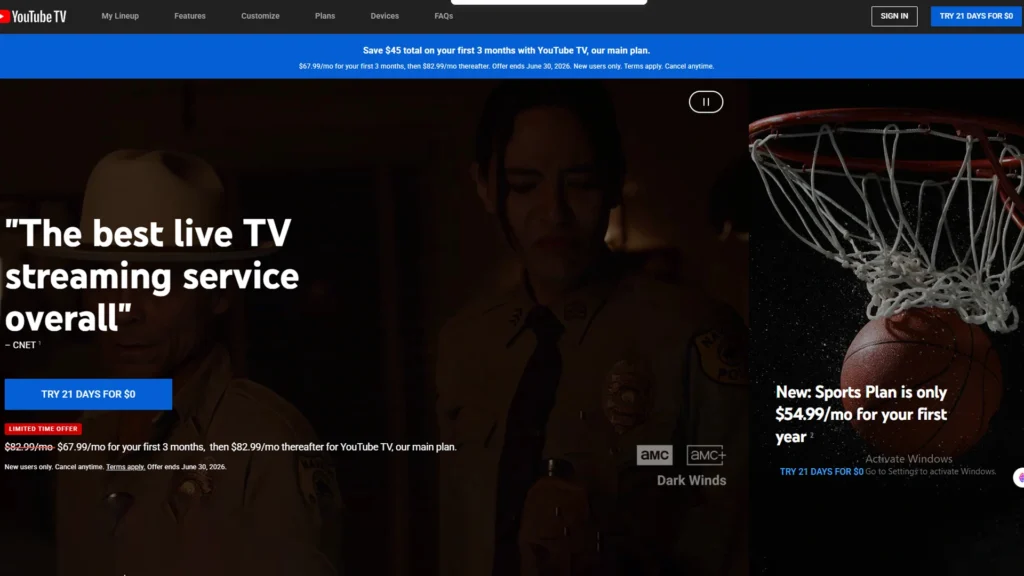
YouTube TV is Google’s live TV streaming service and one of the closest replacements for traditional cable in the US. It carries local broadcast networks alongside cable channels and adds features many cable boxes still lack.
What it offers: The main plan includes 100+ channels. YouTube TV says its local network coverage reaches over 98% of US TV households, and the service is available in over 99.5% of US households.
Standout features:
- Unlimited cloud DVR, with recordings kept for 9 months
- Up to 6 household accounts per membership, each with its own login and library
- Up to 3 simultaneous streams
- Multiview to watch up to 4 games at once
- Option to pause your membership for up to 6 months
- Apps for Roku, Apple TV, Fire TV, Samsung, LG, Xbox One, iOS, Android, and the web
Pricing (as published on October 15, 2026):
- Main YouTube TV plan: $82.99/month for 100+ channels. New users pay $59.99/month for the first 2 months (offer ends November 16, 2026).
- Sports + News Plan: $71.99/month for 50+ channels. New users pay $49.99/month for the first 5 months (offer ends November 16, 2026).
- 4K Plus add-on: $9.99/month for 4K on select content, offline recordings, and unlimited streams at home.
- Other add-ons start at $1.99/month, including NFL RedZone with Sports Plus ($10.99/month). NFL Sunday Ticket is available as an add-on, but its price is not listed on the homepage.
Free trial: The homepage advertised “Try 10 days for $0.” The FAQ on the same page mentions different trial lengths, so check the terms at sign-up.
Pros:
- Strong local channel coverage (98%+ of US TV households)
- Unlimited cloud DVR with 9-month storage
- Up to 6 household accounts in one membership
Cons:
- $82.99/month is expensive next to IPTV subscriptions
- 4K costs an extra $9.99/month
Best for: US households that want a reliable, fully licensed cable replacement with local channels.
2. Strive IPTV
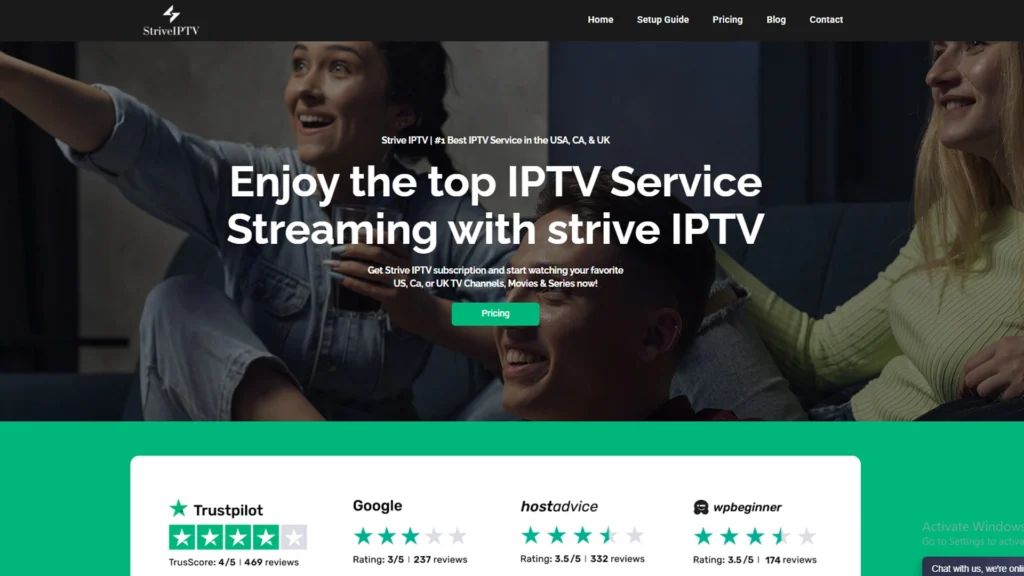
Strive IPTV is a subscription IPTV service provider with a very large global lineup at a fraction of the price of licensed live TV services. It is the IPTV provider at striveiptv.com and should not be confused with similarly named apps or resellers.
What it offers: 26,000+ live TV channels, 130,000+ movies and 50,000+ series on demand, in HD, Full HD and 4K.
Standout features:
- Catch-up TV and a full electronic program guide (EPG)
- Anti-freeze and anti-buffer technology based on H.264 encoding (provider’s claim)
- Works on Smart TVs, Firestick, Android boxes, MAG, Roku, and Windows PC
- 24/7 live chat, ticket, and email support
- Payment by credit card and PayPal, with activation within minutes
Pricing:
| Plan | 1 device | 2 connections | 3 connections | Refund window |
|---|---|---|---|---|
| 1 month | $15 | $25 | $35 | 10 days |
| 3 months | $25 | $45 | $65 | 20 days |
| 6 months | $45 | $70 | $100 | 30 days |
| 12 months | $65 | $110 | $150 | 45 days |
Free trial: 24-hour free trial with no credit card required. See our roundup of the best IPTV free trial options for more ways to test before you buy.
Pros:
- Huge library: 26,000+ channels and 180,000+ VOD titles
- 12-month plan works out to about $5.40/month
- Refund window grows to 45 days on the yearly plan
Cons:
- Needs a separate IPTV player app and some setup
- Licensing status of its channels is not explained on its site
Best for: Viewers who want the most channels and VOD for the lowest yearly cost and are comfortable setting up an IPTV app.
3. Sling TV
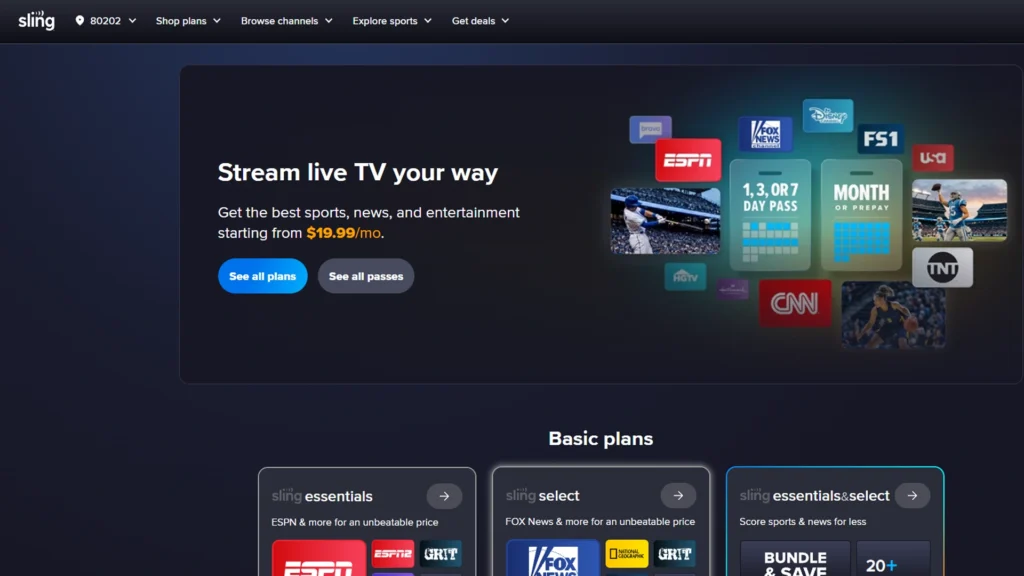
Sling TV is a licensed live TV streaming service with flexible, lower-cost packages. You choose a base plan and add Extras for sports or news.
What it offers: Sling Orange focuses on ESPN and family channels, Sling Blue on news and entertainment, and Select and Essentials are smaller entry plans. Some local channels (ABC, FOX, NBC) are available only in select markets.
Standout features:
- Sling Freestream: 600+ free live TV channels with free DVR
- Sports Extra and News Extra add-ons on every base plan
- No long-term contract; add or drop services at any time
- Apps on 20+ devices, including Apple TV, iOS, Roku, Fire TV, Android TV, LG, Samsung and Vizio
Pricing (monthly):
| Plan | Base price | With Sports Extra | Simultaneous streams |
|---|---|---|---|
| Select | from $19.99 | from $30.99 | up to 3 |
| Essentials & Select | from $34.99 | from $49.99 | up to 4 |
| Orange | $45.99 | $56.99 | 1 |
| Blue | $45.99 | from $56.99 | up to 3 |
| Orange & Blue | $60.99 | from $75.99 | up to 4 |
Free trial: The homepage does not mention a free trial, and it states that Sling Passes are no longer available. Freestream is the free way to try Sling.
Pros:
- Lowest paid entry price among licensed services (from $19.99)
- Mix-and-match Sports and News Extras
- Free Freestream tier with 600+ channels
Cons:
- Only one stream on Sling Orange
- Local channels limited to select markets
Best for: Budget-minded cord-cutters who want licensed channels and only pay for the categories they watch.
4. Propack IPTV
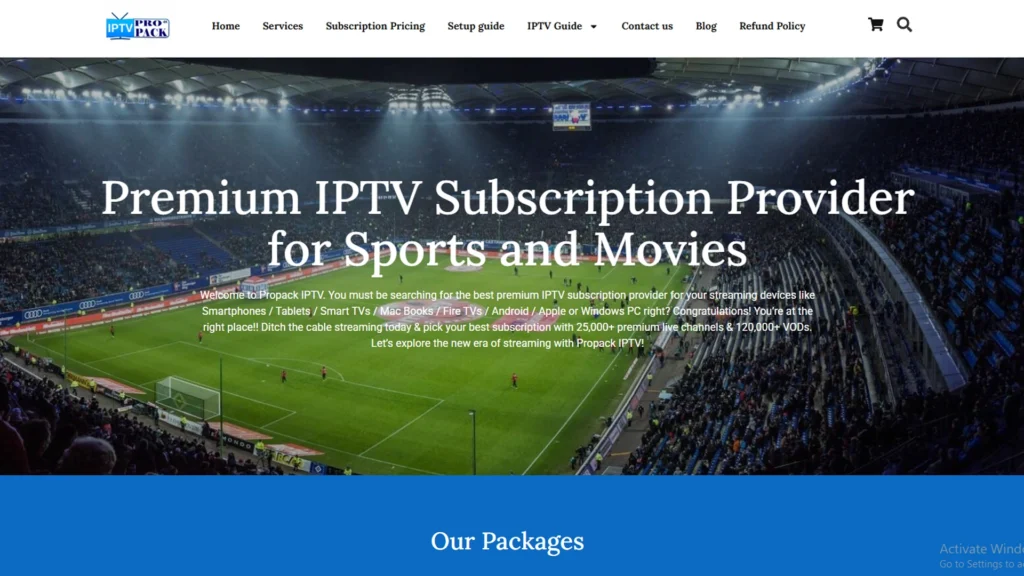
Propack IPTV is a subscription IPTV provider at propackiptv.com that lists its location as Houston, Texas. It leans heavily into live sports and pay-per-view events.
What it offers: 25,000+ live channels, including 200+ premium sports channels covering the NFL, NBA, EPL, UFC, WWE, and F1, plus PPV events and 120,000+ movies and series that it says are updated daily.
Standout features:
- Catch-up TV and EPG (one section of the site describes the guide as “80% EPG Enabled”)
- Quality options listed up to HD, 4K, 8K, and 3D
- 100+ servers, with a stated 99.99% uptime target (99.9% in one section)
- Works on Firestick, Android, Smart TVs, iOS, PC, and Mac
- 24/7 live chat and email support; PayPal and major cards
Pricing:
| Plan | 1 device | 2 connections | 3 connections |
|---|---|---|---|
| 1 month | $10 | — | — |
| 3 months | $25 | $45 | $65 |
| 6 months | $45 | $70 | $100 |
| 12 months | $70 | $120 | $150 |
Free trial and refund: 24-hour free trial with no credit card. The refund policy is inconsistent on the site: plan cards list a 10-day refund, while other sections mention a 45-day money-back guarantee. Confirm with support before buying a long plan.
Pros:
- $10 first month
- 200+ sports channels plus PPV events
- No contracts, cancel anytime
Cons:
- Conflicting refund (10 vs 45 days) and uptime figures on its site
- Licensing status of its channels is not explained
Best for: Sports fans who want many leagues and PPV events in one low-cost IPTV stream. Our IPTV sports guide covers more sports-focused options.
5. Pluto TV
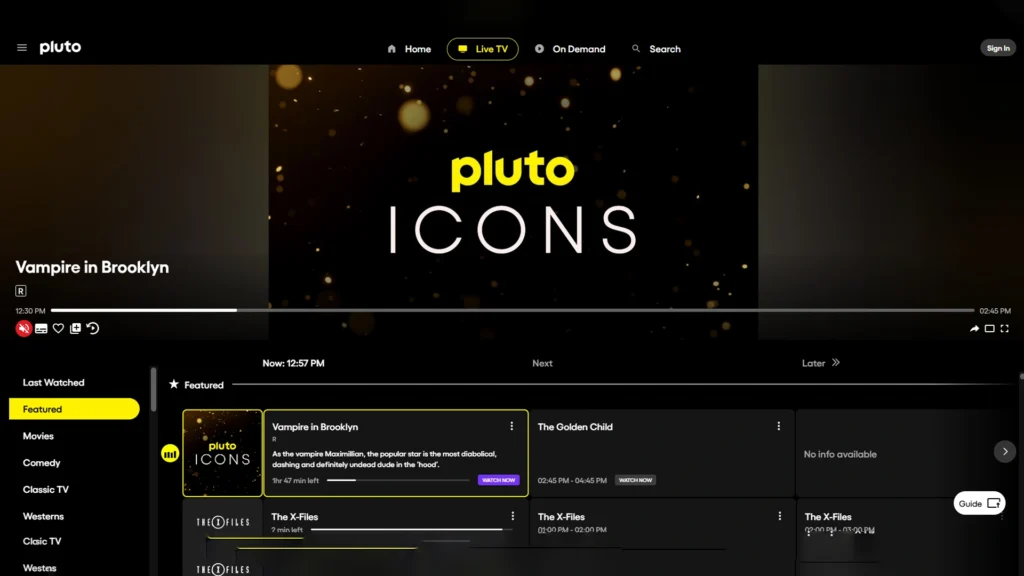
Pluto TV is a free, ad-supported streaming service. It is the easiest way to try IPTV streaming without paying anything.
What it offers: 100+ free live TV channels, including news and sports, plus thousands of on-demand movies and shows.
Standout features:
- “All free, no payment required. Ever,” according to Pluto TV
- Optional free profile to sync favorites and a watch list across devices
- Apps on Roku, Fire TV, LG, Samsung, Vizio, PlayStation, Xbox, Chromecast, Apple TV, mobile and web browsers
Pricing: Free. Short commercial breaks pay for the service.
Pros:
- Completely free, no credit card needed
- Works on almost every device and browser
- Good for news and classic TV
Cons:
- Ad breaks during shows
- No premium sports, most major cable networks, or DVR
Best for: Anyone who wants free live TV as a backup or a first taste of streaming.
6. Hulu + Live TV
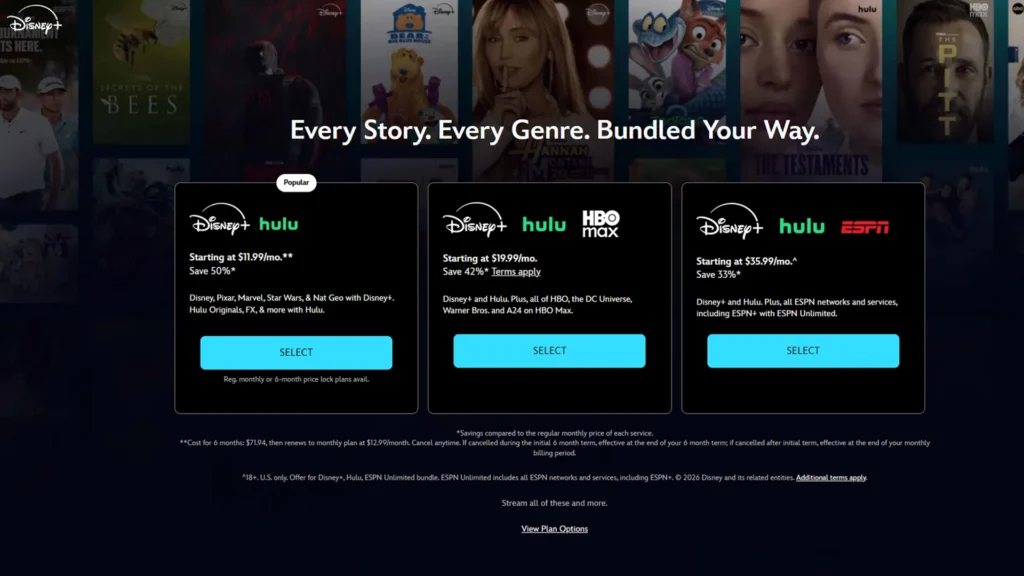
Hulu + Live TV bundles live channels with the Hulu and Disney+ streaming libraries and ESPN Select. It is now sold through Disney+.
What it offers: Live TV channels plus access to Hulu, Disney+, and ESPN Select, with additional ESPN Unlimited content in the ESPN app. Disney’s page lists “100+ top channels” in its comparison table and “95+ live TV channels” in its FAQ.
Standout features:
- Live TV, Hulu, Disney+, and ESPN in one subscription
- Downloads for offline viewing
- No cable required
Pricing (as published on October 15, 2026):
- Hulu + Live TV, Disney+ and ESPN Select (with ads): $99.99/month. A promotion offers $49.99 for the first month, ending at 9:00 AM PT on October 26, 2026, for new and eligible returning subscribers.
- Hulu Premium + Live TV, Disney+ Premium and ESPN Select: $109.99/month.
Free trial: Not mentioned on the page. The current offer is a discounted first month instead.
Pros:
- Live TV, Disney+, Hulu and ESPN Select in one bill
- Large on-demand library alongside live TV
- Downloads for offline viewing
Cons:
- Highest price on this list ($99.99+/month)
- No free trial; regional restrictions and blackouts apply
Best for: Families who want live TV, Disney+ and Hulu originals and ESPN in a single bill.
7. Fubo
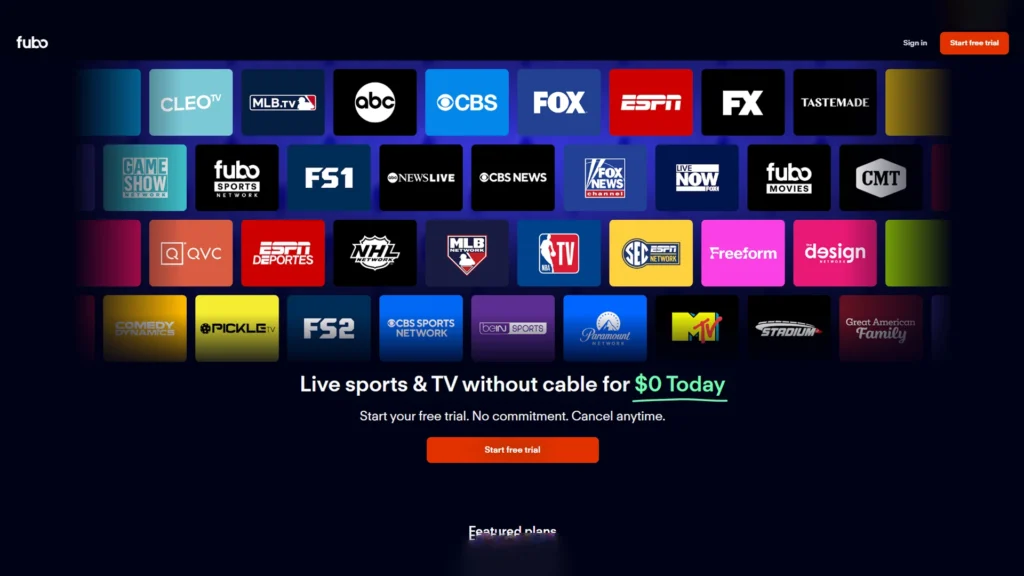
Fubo is a sports-first live TV streaming service carrying major US networks and sports channels.
What it offers: Live sports, live TV, and on-demand content. Channels named on its site include ABC, CBS, FOX, NBC, ESPN, NFL Network, FX and Nickelodeon. The exact lineup depends on your location.
Standout features:
- Cloud DVR included, with recordings kept for 9 months
- No contract; cancel anytime
- Free apps for phones, TVs, and streaming devices
- Option to swap plans and try add-ons during the free trial
Pricing: Plan prices were not shown on the Fubo pages we could access on October 15, 2026. Fubo notes that taxes and regional restrictions may apply and prices are subject to change. Check the plans page for current rates in your area.
Free trial: Yes. Fubo says everything is free during the trial and sends a reminder email a day before it ends, but the trial length is not stated and “may not be available on all plans.”
Pros:
- Strong live sports coverage on major US networks
- Cloud DVR included with 9-month storage
- Swap plans and try add-ons during the free trial
Cons:
- Pricing and stream limits not clearly published on the pages we checked
- Channel lineup varies by area
Best for: Sports fans who want licensed network and sports channels with DVR.
How Do These IPTV Services Compare?
| IPTV service | Type | Starting price | Channels | Free trial | Best for |
|---|---|---|---|---|---|
| YouTube TV | Licensed live TV | $71.99/mo (Sports + News) | 50+ to 100+ | 10 days for $0 (homepage) | All-round cable replacement |
| Strive IPTV | Subscription IPTV | $15/mo | 26,000+ | 24 hours, no card | Biggest library per dollar |
| Sling TV | Licensed live TV | from $19.99/mo (Select) | Varies by plan | Not listed (Freestream is free) | Budget licensed TV |
| Propack IPTV | Subscription IPTV | $10/mo | 25,000+ | 24 hours, no card | Sports and PPV |
| Pluto TV | Free, ad-supported | Free | 100+ | Not needed | Free live TV |
| Hulu + Live TV | Licensed live TV | $99.99/mo | 95+ to 100+ | Not listed (promo first month) | Disney+, Hulu and ESPN fans |
| Fubo | Licensed live TV | Not shown on pages checked | Varies by area | Yes (length not stated) | Live sports |
Prices are as listed on each official website on October 15, 2026, and may change.
How Do You Choose the Right IPTV Service?
The best IPTV service for you depends less on the biggest channel count and more on what you actually watch. Check these points before you subscribe:
- Your must-have channels. Search each lineup for your local networks, news, and sports channels by name.
- Licensing. Licensed services carry clear rights to their channels; for that peace of mind, see our list of the best legal IPTV providers.
- Total monthly cost. Add sports or 4K add-ons and multi-screen plans to the base price. For budget picks, see our cheap IPTV comparison.
- Simultaneous streams. Sling Orange allows 1 stream, YouTube TV 3, and IPTV providers sell 1-, 2-, and 3-connection plans.
- DVR and catch-up. YouTube TV and Fubo keep cloud recordings for 9 months; IPTV providers usually offer VOD and catch-up instead.
- Device support. Licensed services have their own apps; IPTV streams need a player such as those in our best IPTV players guide.
- Trial and refund terms. Test during a busy evening or a live game before you buy a long plan.
If you are based in the US and want region-specific picks, our guide to the top IPTV in USA goes deeper.
What Internet Speed Do You Need for IPTV Streaming?
Every IPTV stream depends on your connection. Netflix recommends at least 3 Mbps for HD (720p), 5 Mbps for Full HD (1080p) and 15 Mbps for 4K. Live channels are less forgiving than on-demand video, so leave extra headroom and multiply by the number of screens streaming at once. Our IPTV internet speed guide breaks this down by household size.
For the most stable picture, connect your TV or streaming box with an Ethernet cable. If you use a subscription IPTV service, check that it allows VPN connections; our best VPN for IPTV guide lists options.
Is Using an IPTV Service Legal?
IPTV technology is legal, and every licensed service in this list uses it. Legality depends on whether a provider has the rights to the channels it streams. YouTube TV, Sling TV, Hulu + Live TV, Fubo, and Pluto TV sign agreements with the networks they carry.
Subscription IPTV providers that offer tens of thousands of channels for a few dollars a month do not usually explain how their content is licensed. In the US, the Protecting Lawful Streaming Act of 2020 made operating an illegal commercial streaming service a felony. The law targets operators rather than individual viewers. Read a provider’s terms before subscribing, and see our legal IPTV guide if you want services with clear licensing. This is general information, not legal advice.
Frequently Asked Questions
-
What is the best IPTV service?
For a fully licensed cable replacement, YouTube TV is the strongest all-round choice with 100+ channels and unlimited DVR. For the largest library at the lowest price, Strive IPTV offers 26,000+ channels from $15/month. Pluto TV is the best free option.
-
How much does an IPTV service cost per month?
Among the providers here, prices run from free (Pluto TV) to $10–$15/month for subscription IPTV providers, $19.99–$60.99/month for Sling TV, and $82.99–$109.99/month for YouTube TV and Hulu + Live TV.
-
Is IPTV legal in the US?
The technology is legal. Licensed services such as YouTube TV, Sling TV, Hulu + Live TV, and Fubo are lawful to use. Services without rights to their channels are not, and US law treats running one commercially as a felony.
-
Can I try an IPTV service for free?
Yes. Strive IPTV and Propack IPTV offer 24-hour free trials without a credit card, YouTube TV advertises a 10-day trial for $0, Fubo offers a free trial, and Pluto TV and Sling Freestream are free to use. See our best IPTV free trial providers list for more.
Which IPTV Service Should You Choose?
The right IPTV service comes down to what you watch and how much you want to spend. YouTube TV is the best all-round licensed choice, Strive IPTV gives the most channels and VOD per dollar, Sling TV is the cheapest licensed package, Propack IPTV targets sports and PPV fans, Pluto TV is free, Hulu + Live TV bundles Disney+ and ESPN, and Fubo is built for live sports. Start with a free trial, test your key channels at a busy time, and only then commit to a longer plan. New to all of this? Begin with our beginner’s guide to how IPTV works, then pick a player app for your device.

2 Responses
Thank you for sharing
Wow, interesting, thank you for sharing