
Search for the best IPTV player for iOS, and you’ll find the same seven or eight app names shuffled into a different order on every site, each with a “Quick Overview” and a four-bullet pros list that reads like it was copy-pasted from the App Store description. That’s not because the writers are lazy – it’s because most of them never actually opened the App Store while writing. They ranked apps that don’t exist on iPhone at all (TiviMate, OTT Navigator, Perfect Player – none of these run on iOS), then padded the list with guesses.
This guide starts from a different place: your provider’s login method decides which best IPTV apps for iPhone are even usable before “best” enters the conversation. An app can have a beautiful interface and still be useless to you if your provider only issues Stalker/Ministra portal logins and the app you picked only understands M3U. So instead of ranking apps in a vacuum, this piece is organized around what you actually have in hand — an IPTV player with M3U support, an IPTV player with Xtream Codes, or a Stalker portal — and which of the seven real, currently available IPTV apps for iOS handle each one well.
It also flags something most competing articles skip entirely: the App Store’s IPTV category is full of near-identical clone apps trading on well-known names. “IBO,” “Smarters,” and “XCIPTV” each have multiple unrelated listings, and picking the wrong one can mean paying twice for the same subscription or, in at least one documented case, downloading an app with no actual connection to the brand it’s impersonating.
If you’re still deciding between an IPTV player and the subscription that feeds it, our guide to what IPTV actually is and our breakdown of IPTV vs OTT are good starting points before you pick an app.
A note on how this was researched: every app below was checked against its live App Store listing at the time of writing. Prices shift by country and app updates change feature lists, so treat specific dollar figures as a snapshot rather than a guarantee the “facts to double-check” section near the end tells you exactly what to re-verify before you publish or share this.
What Is an IPTV Player for iOS, Exactly?
Worth clearing up before the list: an IPTV app for iOS is empty by default. Apple requires every one of these listings to state plainly that they don’t supply channels, movies, or any content – they’re just the software that turns a link or login into a watchable interface.
Three things determine what an IPTV player for iPhone and iPad can do with your subscription:
- M3U / M3U8 playlist – a text file of stream URLs, usually handed to you as a single link that the app re-downloads periodically so your channel list stays current.
- Xtream Codes – a username/password/server-URL login system. Where a provider offers it, it’s typically the more organized option, splitting Live TV, Movies, and Series automatically instead of leaving everything in one long list.
- Stalker / Ministra portal – an older but still common system tied to a MAC address or portal URL rather than a simple text link. Not every iOS app supports it, which is exactly why it’s worth checking before you download.
Layered on top of whichever login method you use is the EPG – the program guide showing what’s on now and next. We cover this in more depth in our Electronic Program Guide (EPG) explainer, but in short: a good IPTV player with EPG either pulls guide data automatically from the provider’s playlist, or lets you paste in a separate XMLTV link.
The apps below can also stream VOD movies and series on demand rather than live channels – which we explain in more detail in What Is VOD?
None of the seven apps below get around any of this. They’re reviewed purely as players.
7 Best IPTV Players for iPhone & iOS in 2026
| IPTV Player | iPhone/iPad | Xtream Codes | EPG | Best For |
|---|---|---|---|---|
| GSE Smart IPTV | Yes | Yes | XMLTV | Widest protocol/format support |
| Smarters Player Lite | Yes | Yes* | Via link | Fastest setup for beginners |
| Flex IPTV | Yes | Yes | XMLTV | Apple-only setups that want recording |
| Tivimax IPTV Player | Yes | Yes | Yes | Stalker/Ministra portal users |
| IBO Player Pro | Yes | Yes | Provider-dependent | Mixed Apple + Samsung/LG/Fire TV homes |
| Strimix | Yes | Yes | Provider-dependent | Multi-device Apple users, iCloud sync |
| iSTB | Yes | Yes | Yes | Picture-in-Picture on iPad |
Apple’s own listing for Smarters Player Lite names “M3U, JSON, and other standard formats” without explicitly saying Xtream Codes – it’s widely used that way by reviewers, but confirm it works with your specific provider before you commit to it.
If your provider gave you a Stalker/Ministra portal
Skip straight to Tivimax, Strimix, or iSTB – these are the only three here that explicitly handle it. GSE, Smarters Player Lite, Flex, and IBO are M3U/Xtream tools; loading a Stalker portal into them either won’t work or requires converting it first.
1. GSE Smart IPTV
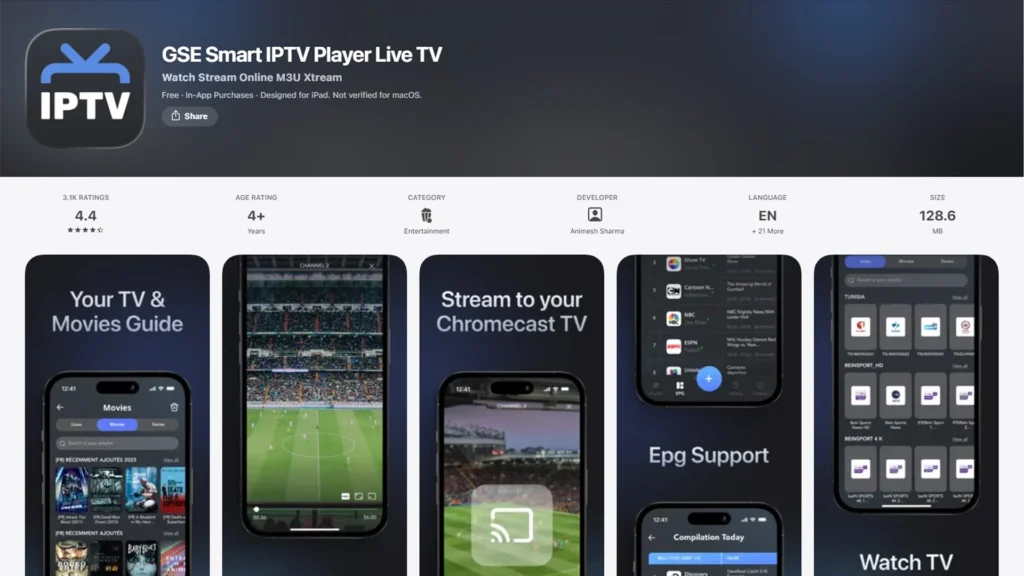
GSE Smart IPTV has been on the App Store long enough that it predates most of its competitors, and it shows in the feature list: HTTP, RTSP, RTMP, MMS, UDP, Sat-IP, Smooth Streaming – protocols that most rival apps don’t bother naming because most providers don’t need them. If yours is one of the ones that does, GSE is probably the best IPTV player for iPhone pick on this list built to handle it.
Key Features
- M3U and Xtream Codes API support
- XMLTV EPG with GZIP/ZIP compression support
- Playlist management via a companion web tool (GSE Web Tools) instead of typing URLs by hand on a phone keyboard
- Parental controls and multi-playlist favorites
Pros
- Format and protocol coverage that nothing else here matches
- Long track record and frequent updates
- Runs on iPhone, iPad, Apple TV, and Mac
Cons
- The interface hasn’t been visually modernized in the way Strimix or Flex IPTV have
- GSE exists as several separate App Store listings (regular, Lite, Pro) – read the description carefully so you know which one you’re installing
- Support responsiveness is inconsistent according to recent reviews
Best For: Anyone whose provider uses an unusual streaming protocol, or who simply wants one app that won’t choke on whatever format shows up.
2. Smarters Player Lite
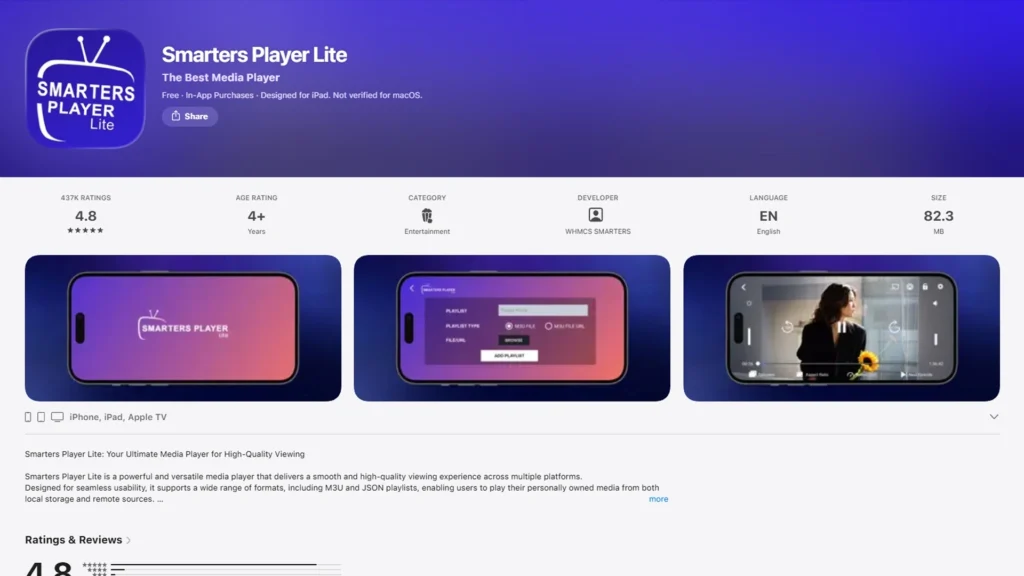
Smarters Player Lite is the app most first-time IPTV users end up with, mainly because the setup asks for almost nothing beyond your login. There’s no protocol jargon on the main screen, no settings menu to dig through before you can watch – you add a source and you’re in, which is exactly why it’s a strong candidate for the best free IPTV player for iPhone.
Key Features
- Guided onboarding built around pasting in a link or entering credentials
- Multi-user profiles, so more than one household member can keep separate favorites
- Picture-in-Picture playback
- Parental controls
Pros
- Genuinely free, with no ad interruptions in the core player
- The lowest learning curve of any app on this list
- Regularly updated
Cons
- Apple’s App Store text stops short of confirming Xtream Codes support directly
- “Smarters” is used by several unconnected App Store listings — including one built around World Cup marketing rather than the core player — so search carefully and check the developer name before installing
- Aimed at simplicity, so power users will outgrow it fast
Best For: Someone setting up IPTV on a phone for the first time who just wants to press a few buttons and watch.
3. Flex IPTV
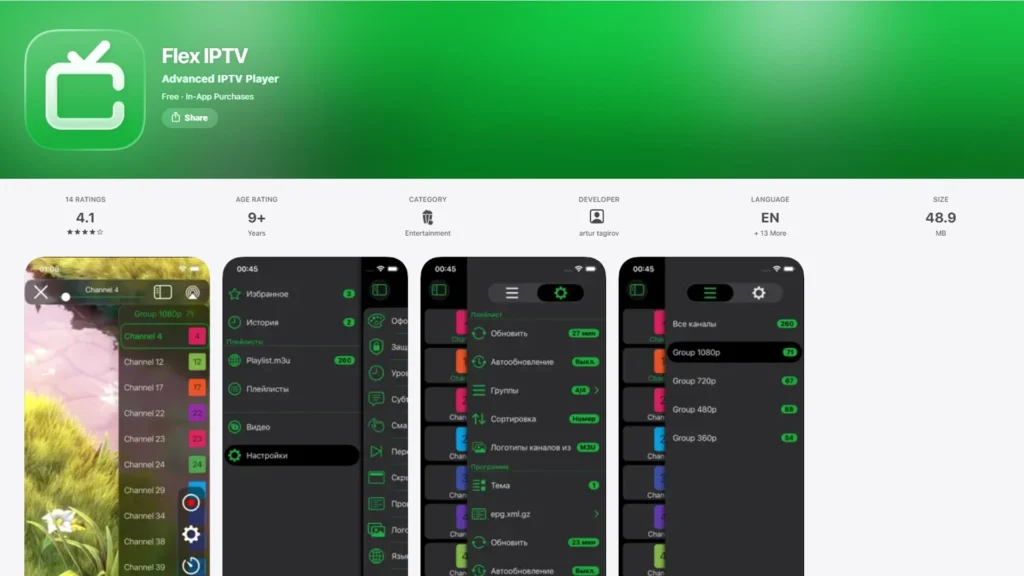
Flex IPTV is the rare case of an app that never bothered building an Android version — it’s iPhone, iPad, Apple TV, and Mac only, and has been since 2016. That focus shows in one feature almost nothing else here offers: recording live streams directly inside the app, making it a strong pick if you’re specifically after the best IPTV player for Apple TV.
Key Features
- M3U (local and remote) plus Xtream Codes login
- XMLTV EPG support
- Built-in live stream recording
- Auto-reconnect when a stream drops, plus subtitle/audio track switching
Pros
- Feels like it was actually designed for Apple hardware rather than ported over
- Live recording is a real differentiator most competitors skip
- One-time Pro purchase instead of a subscription
Cons
- No use at all if your household also has an Android box, Windows PC, or Fire TV Stick see our best IPTV players for Windows or Linux guides if that’s you
- Free-tier ads are described by several reviewers as intrusive enough to push you toward paying
- iOS and Apple TV each need their own separate Pro purchase (roughly $3–5 each, varies by storefront) a two-device household effectively pays twice
Best For: All-Apple households who want to record live TV and don’t mind a small one-time fee per device type.
4. Tivimax IPTV Player
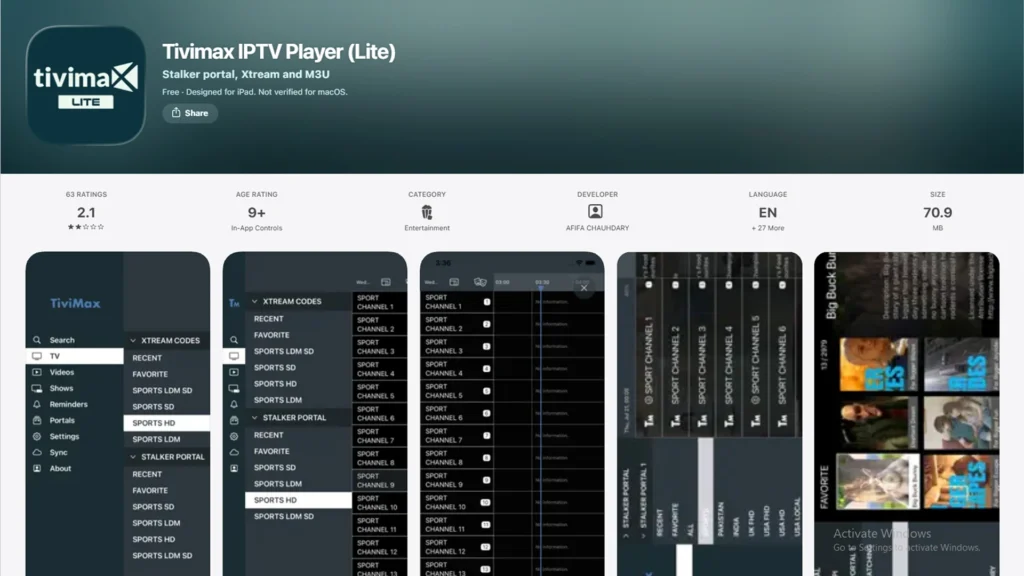
Tivimax is the one app here built with Stalker/Ministra portals as a first-class citizen rather than an afterthought, and it pairs that with a program-reminder system that’s more developed than what most competitors offer. The catch is Apple lists it as three separate products: Lite, Mobile, and Premium, so read carefully before you buy.
Key Features
- Stalker portal, Xtream Codes, and M3U support in a single app
- A TV guide with the ability to set reminders for upcoming programs
- Catch-up (replay) playback where the provider supports it
- Per-channel audio and subtitle switching
Pros
- The only realistic option here if you’re specifically on a Stalker/Ministra system
- Reminders and catch-up genuinely help with live sports and appointment television
- Frequent update history
Cons
- The “Lite” version exists purely to confirm compatibility it isn’t meant for daily use
- The paid Mobile/Premium versions run $15–18, noticeably above the rest of this list
- Three near-identical listings under one name make it easy to buy the wrong tier
Best For: Anyone whose subscription came as a portal URL and MAC address rather than a link and who wants program reminders as part of the deal.
5. IBO Player Pro
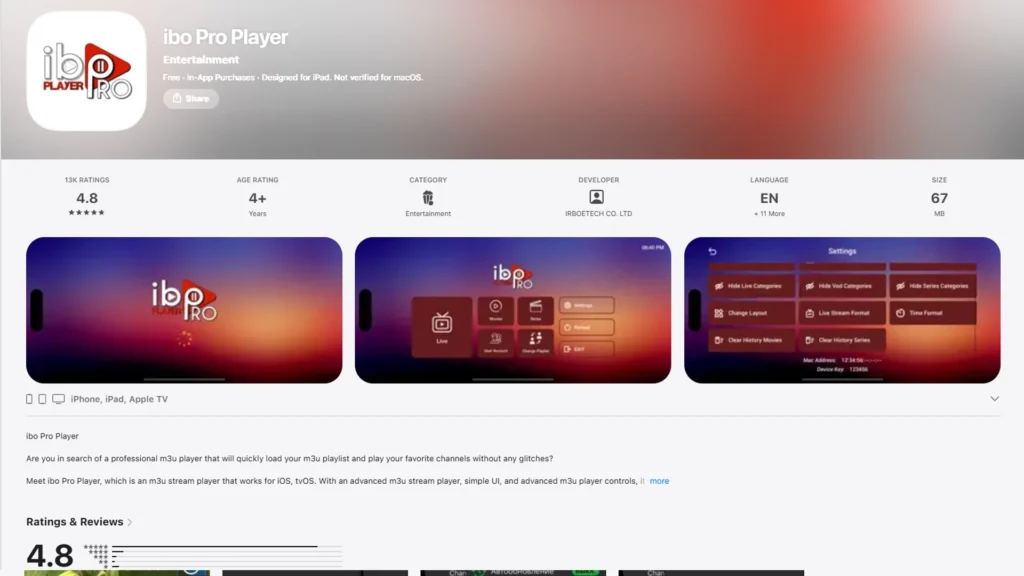
IBO’s real selling point isn’t the iOS app in isolation it’s that versions of it also run on Samsung, LG, Fire TV, and Roku, which matters if your TV isn’t an Apple TV. The tradeoff is that “IBO” is one of the messier names in this space: several near-identical listings exist from what look like different developers, with different prices and trial terms attached to each.
Key Features
- 4K streaming
- Multiple UI themes
- Poster art, trailers, and metadata for movies and series
- Audio and subtitle language selection
Pros
- Broadest device reach of anything on this list if your living room mixes Apple gear with a non-Apple smart TV
- Some listings include a 7-day trial before payment is required
Cons
- Pricing is inconsistent across listings; one version charges roughly $10 with no shared license between devices, and reviewers report being asked to pay again after switching phones
- No built-in EPG beyond whatever the provider’s playlist already includes
- The name confusion here is worse than anywhere else on this list; confirm the developer, not just the app title, before buying
Best For: Households juggling Apple devices alongside a Samsung or LG smart TV provided you’re careful to install the specific listing you researched.
6. Strimix
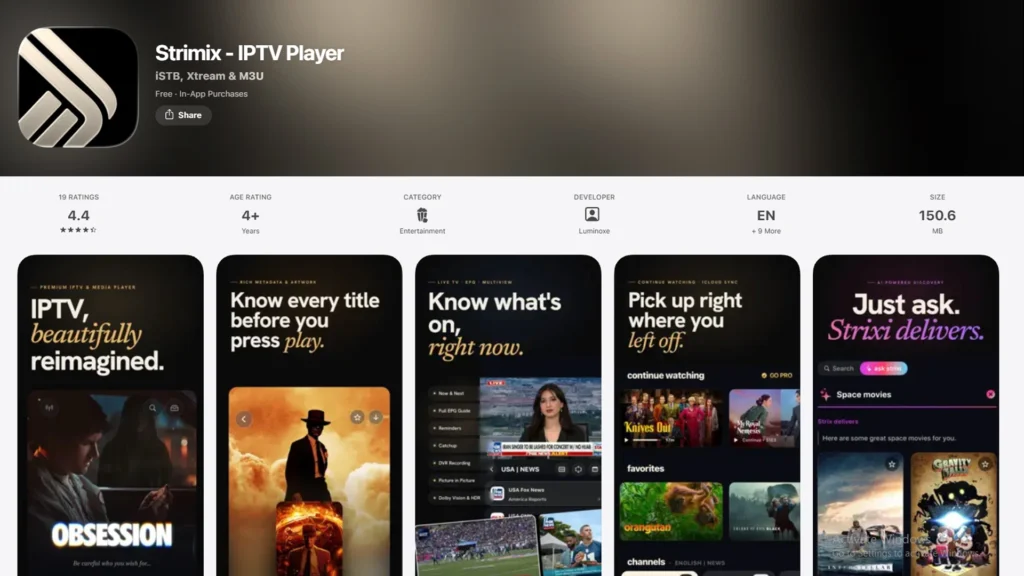
The newest app on this list (2026), and it looks it. Strimix leans into a modern, Apple-style interface instead of the more utilitarian look most IPTV players settle for. Its standout feature is iCloud sync: add a portal on your iPhone and it shows up on your iPad and Apple TV without re-entering anything.
Key Features
- iCloud sync of portals, favorites, and watch history across Apple devices
- Stalker Portal, Xtream Codes, and M3U support
- 4K, Dolby, and HDR playback where the stream supports it
- Continue Watching and content discovery sections
Pros
- The most polished, native-feeling interface of anything reviewed here
- iCloud sync removes real setup friction for anyone with more than one Apple device
- Under active, frequent development
Cons
- Too new to have the multi-year track record that GSE or Flex IPTV can point to
- Apple-only no help if you also stream on Android or Fire TV
- In-app purchase structure is still evolving, so check current tiers directly in the App Store
Best For: Apple users with multiple devices who want their setup to follow them automatically, and who care about interface polish as much as raw feature count.
7. iSTB
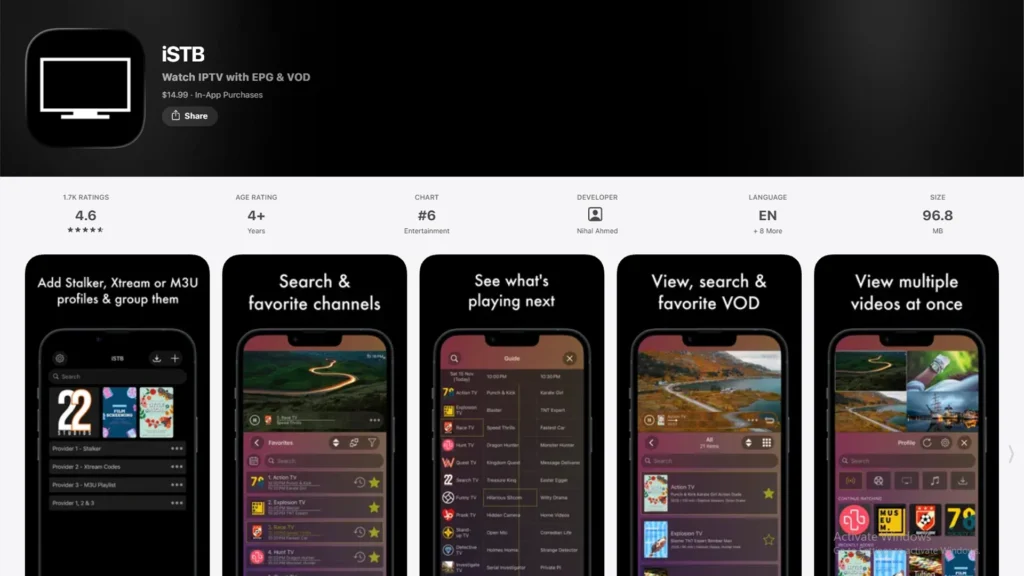
The smallest name on this list, but iSTB covers all three login types Stalker Middleware, Xtream Codes, and M3U in one app, and adds genuinely useful Picture-in-Picture support across iPhone, iPad, and Apple TV.
Key Features
- Stalker Middleware, Xtream Codes API, and M3U playlist support
- EPG support
- Favorites and parental controls
- Picture-in-Picture on iPhone, iPad, and Apple TV
Pros
- Covers every major login method in a single app, unusual at this end of the market
- PiP is implemented well, which matters more on iPad than people expect
- Available across iPhone, iPad, and Apple TV
Cons
- Smaller developer footprint and fewer reviews than the bigger names here, so long-term reliability is harder to judge
- Interface is functional rather than distinctive
- Less brand recognition means less community troubleshooting if something breaks
Best For: iPad users who want to keep a stream running in a floating window while doing something else on screen.
Best Free IPTV Player for iPhone
“Free” isn’t one thing across these seven apps, and treating it as if it were is where a lot of other roundups get sloppy:
- Fully free, no catch: Smarters Player Lite carries no cost and no ads in its core playback experience.
- Free tier with real functionality: GSE Smart IPTV’s free version plays M3U and Xtream Codes sources without payment; a Pro version adds extras on top.
- Free, but ad-supported: Flex IPTV’s base version works but includes ads several reviewers call intrusive; the Pro unlock removes them.
- Free in name only: Tivimax’s “Lite” app exists to confirm your subscription is compatible, not to be your daily player; treat it as a compatibility check, not a free tier.
- Trial, then paid: IBO Player Pro offers a week’s trial on some listings, after which payment is required.
If the goal is genuinely zero cost with no asterisks, Smarters Player Lite and GSE’s free tier are the two that actually deliver on that.
Best IPTV Player for iPad
The apps that feel designed for iPad rather than just stretched to fit are GSE Smart IPTV, Flex IPTV, Smarters Player Lite, and Strimix; all four are universal apps whose EPG grids and channel libraries take real advantage of the larger screen instead of leaving space around a phone-sized layout.
Flex IPTV specifically comes up often in user feedback as handling the iPad experience well. If you’re on a Stalker portal rather than M3U or Xtream, Tivimax and iSTB are the two to test on iPad instead, and iSTB’s Picture-in-Picture support is worth factoring in if you plan to multitask, since that matters more on a tablet than a phone.
Best IPTV Player for Apple TV
This is where a lot of “works on iOS” claims fall apart, because an iPhone app that supports AirPlay is not the same thing as a native tvOS app built for remote-control navigation. Based on current App Store listings:
- GSE Smart IPTV, Flex IPTV, IBO Player Pro, and Strimix each have dedicated tvOS apps.
- iSTB is also listed for Apple TV.
- Smarters Player Lite and Tivimax are positioned primarily as iPhone/iPad apps in their current listings if a living-room, remote-first experience is the goal, verify tvOS availability directly before assuming it’s there.
The needs genuinely differ by device: iPhone is about compact navigation and Picture-in-Picture on the go, iPad is about making EPG grids and libraries easier to scan, and Apple TV is about remote-friendly navigation that a phone-first interface won’t automatically deliver just because it’s signed into the same Apple ID.
How to Choose the Best IPTV Player for iOS
Device Compatibility
Check explicitly for iPhone, iPad, or Apple TV support rather than assuming a universal iOS app has a good tvOS counterpart several apps here sell iOS and tvOS unlocks as entirely separate purchases.
M3U and Xtream Codes Support
Find out from your provider which method they issue before picking an app. If it’s a Stalker/Ministra portal specifically, your realistic choices narrow to Tivimax, Strimix, or iSTB.
EPG Support
Some apps only show a guide if your provider’s playlist already includes it; others let you paste in a separate XMLTV link. Confirm which one your shortlisted app expects.
Playback Quality
Look for explicit mention of hardware acceleration or 4K/HDR support if your connection can support it — not every app names this even when it applies. If you’re seeing buffering regardless of which app you pick, the bottleneck is usually your connection rather than the player; our guide to IPTV and internet speed covers what to check.
Interface and Ease of Use
Beginners tend to do better with Smarters Player Lite’s minimal setup; anyone managing several playlists at once benefits more from GSE’s heavier management tools.
AirPlay and Casting
iOS handles AirPlay at the system level, so any IPTV player with AirPlay support at all usually just means “any video-playing app,” since most work without a dedicated in-app button. Chromecast/Google Cast support is far less consistent; check the live App Store description if that specifically matters to you, since it can change between updates.
Privacy and Permissions
An IPTV player has no legitimate reason to ask for contacts, photos, or location access. Treat a request for anything beyond media and network permissions as a red flag. If you want an extra layer of privacy on top of the app itself, see our best VPNs for IPTV guide.
Pricing
Compare one-time purchases against subscriptions, and specifically check whether a “Pro” unlock covers iOS only, tvOS only, or both. Flex IPTV’s separate iOS/tvOS purchases are a good example of how easy this is to miss on a first read.
How to Set Up an IPTV Player on iPhone
- Secure a legitimate IPTV subscription or provider first. The app is inert without a source to load; see our Strive IPTV service or full list of IPTV subscription providers if you’re still choosing one, and check whether a free trial is available before committing.
- Download whichever player from the comparison above matches your login method.
- Open the app and work through its initial setup screen.
- Enter your M3U link, or your Xtream Codes/Stalker credentials, exactly as your provider issued them.
- Add EPG if it isn’t automatic; either it’s bundled into your playlist, or you’ll need a separate XMLTV link.
- Let the app finish importing your categories, channels, and logos.
- Start watching, then set up favorites or parental controls once the basics work.
The player never supplies channels on its own; every account of what shows up traces back to the subscription you added in step 4.
Are IPTV Players Legal on iPhone?
IPTV as a delivery method is legal; it’s television over the internet instead of over cable or satellite wiring. Every app in this guide is legal software to download, and Apple requires each listing to disclose plainly that it doesn’t supply content itself.
The legality question actually lives one layer up, with whatever you connect the app to. A provider with the rights to distribute what it offers is operating legitimately; a source redistributing copyrighted channels without authorization is not, and that’s true no matter which of these seven apps you happen to be using to view it. The player is neutral; the risk sits entirely with the content source. See our roundup of best legal IPTV providers if you want to start from services built specifically around licensed content.
Frequently Asked Questions
-
What is the best IPTV player for iPhone?
It depends on your login method more than anything else. GSE Smart IPTV covers the widest range of protocols, Smarters Player Lite is the fastest to set up, and Flex IPTV is the pick if you want live recording on Apple-only hardware.
-
What is the best free IPTV player for iOS?
Smarters Player Lite is fully free with no ads in the core player, and GSE Smart IPTV’s free tier plays both M3U and Xtream Codes sources at no cost.
-
Can I use IPTV on an iPad?
Yes, GSE, Flex IPTV, Smarters Player Lite, and Strimix are all universal apps that scale properly to the iPad’s larger screen rather than just running a stretched phone layout.
-
Can I use IPTV on Apple TV?
Only with apps that ship a dedicated tvOS version: GSE Smart IPTV, Flex IPTV, IBO Player Pro, Strimix, and iSTB all qualify. An iPhone-only app doesn’t automatically gain an Apple TV presence.
-
Do IPTV players provide channels?
No, none of them. Every app here is strictly a player; the channels come entirely from the subscription, M3U link, or login you add yourself.
-
What is an M3U playlist?
A plain text file listing stream URLs, typically handed to you as a single link that your chosen app re-downloads periodically to keep the channel list current.
-
Can I use AirPlay with IPTV?
Yes, in most cases iOS’s system-level AirPlay works with the majority of video-playing apps automatically, without the app needing a dedicated AirPlay button.
-
Are IPTV player apps legal?
The apps themselves are legal software. What’s legal or not is the content source connected to them the player has no bearing on that either way.
Final Verdict
There’s no single “winner” here because the right app depends on your login method, your devices, and how much you want to spend upfront, but here’s how it breaks down by need:
- Best overall: GSE Smart IPTV – the widest format and protocol coverage, with a genuine free tier.
- Best for beginners: Smarters Player Lite – nothing here sets up faster.
- Best free option: Smarters Player Lite – fully free with no ad interruptions in the core player.
- Best for advanced users: GSE Smart IPTV if you need protocol range, Tivimax if you’re specifically on a Stalker/Ministra portal and want catch-up.
- Best for iPad: Flex IPTV, based on consistent feedback about how it handles the larger screen.
- Best for Apple TV: Flex IPTV for live recording, or Strimix if cross-device iCloud sync matters more to you.
Test whichever app you land on against your actual subscription before paying for a Pro unlock on paper; every one of these checks most of the same boxes, but real-world compatibility with a specific provider is the thing no comparison table can guarantee. If you’re weighing IPTV players across every platform, not just iOS, our wider 15 Best IPTV Players roundup covers Windows, Android, and more alongside this IPTV player iOS 2026 shortlist.