
If you’re setting up an IPTV service for the first time, you’ve probably run into two unfamiliar terms: M3U playlist and Xtream Codes. In short, an M3U playlist is a text file (or link) containing a list of channel streams that an IPTV player can read, while Xtream Codes is a login method a username, password, and server URL that lets a compatible player pull your channels, video-on-demand library, and program guide automatically.
Both are simply different ways an IPTV provider hands your player access to its content. Neither one is a provider itself, and neither is inherently “better” in every situation; the right choice depends on your player, your device, and what your provider supports. If you’re new to the concept entirely, it helps to first understand what IPTV is and how it works before diving into playlist formats and login methods.
In this guide, we explain what each option actually does, how they work behind the scenes, and how to get either one running without guesswork.
What Is an M3U Playlist?
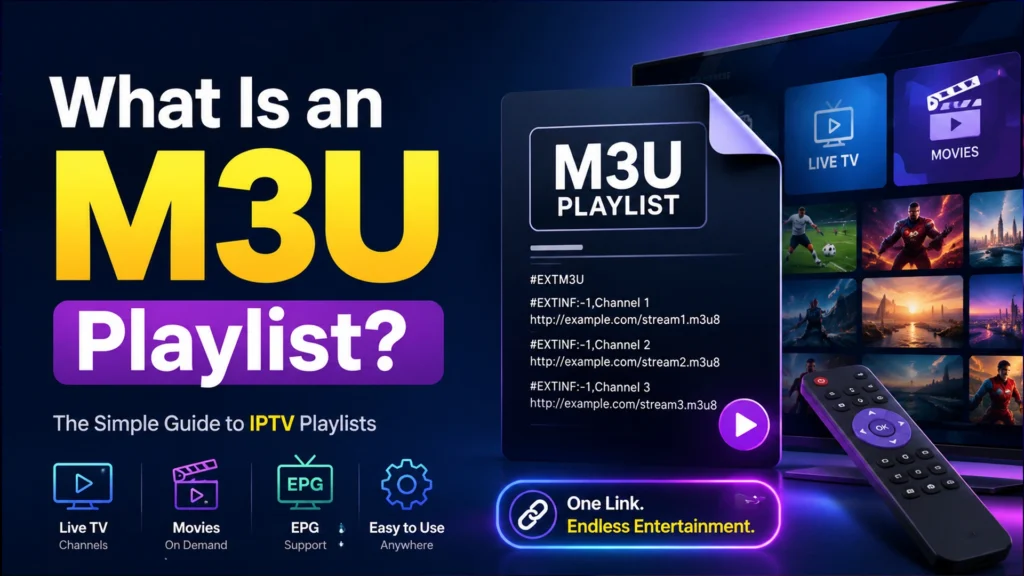
M3U stands for “MPEG version 3.0 URL” or, more informally, “Moving Picture Experts Group Audio Layer 3 Uniform Resource Locator,” but in practice, nobody needs to remember that. An M3U file is simply a plain text file that lists media stream links, one after another, along with basic metadata like the channel name and category.
An M3U URL is a web link that points to that same list hosted on a server, so instead of downloading a file, your IPTV player fetches the playlist directly over the internet whenever it loads. Most modern IPTV setups use an M3U URL rather than a downloaded file, since the provider can update the channel list without you having to redo anything.
A basic M3U entry looks something like this (using placeholder data only):
| EXTM3U EXTINF:-1 tvg-id=”ChannelOne” group-title=”Entertainment”, Channel One HD http://example-server.com:8080/live/000000/000000/000001.ts |
Here, #EXTM3U marks the start of the playlist, #EXTINF holds the channel name and category, and the line below it is the actual stream link. Real IPTV credentials should never appear in a playlist example, so treat the URL above as a placeholder format only.
M3U vs M3U8: M3U8 is nearly the same format, but encoded in UTF-8 and typically associated with HLS (HTTP Live Streaming), which breaks a video into small segments for smoother playback. Most IPTV players treat M3U and M3U8 interchangeably, though M3U8 has become the more common format for live streaming.
How Does an M3U Playlist Work?
The process is fairly linear:
IPTV provider/server → M3U playlist → IPTV player → channel streams → playback
- The provider maintains a server hosting all the actual video streams.
- That server generates an M3U playlist, a list of links pointing to each channel.
- You paste the M3U URL into your IPTV player.
- The player reads the playlist, sorts channels into groups using the category tags, and displays a channel list.
- When you select a channel, the player connects directly to that stream’s URL and begins playback.
A few key pieces of information travel inside the playlist:
- Channel URLs – the actual stream addresses
- Channel names – what’s displayed in your player’s guide
- Group/category tags – used to organize channels (news, sports, movies, etc.)
- Stream format – usually .ts or .m3u8 segments
- EPG references – some playlists include a tag pointing to a separate program guide file
Because an M3U playlist is just a list of links, it doesn’t inherently organize VOD (video-on-demand) or series content the way a more structured system does; support for that varies by IPTV player and provider.
What Are Xtream Codes?
“Xtream Codes” is a term that gets used two ways, which causes a lot of confusion. Originally, Xtream Codes was the name of a specific IPTV panel software that providers used to manage their servers. Over time, the term became shorthand in the IPTV world for a login method: entering a username, password, and server URL into a compatible player regardless of which backend software the provider actually runs.
It’s worth being clear: Xtream Codes is not an IPTV provider itself. It’s an authentication approach that many providers, running various panel software, choose to support because it’s widely recognized by popular players.
To use this method, your provider gives you three pieces of information:
- Username
- Password
- Server/portal URL
You enter these into a compatible IPTV player instead of pasting a playlist link. This is sometimes referred to as logging in through the Xtream Codes API, since the player communicates with the provider’s server through a structured set of API calls rather than reading a static list.
Because the player is talking to the server directly through this API, compatible apps can automatically pull down organized categories for Live TV, VOD, and Series, along with EPG data, without you needing to configure separate playlist or guide links.
How Do Xtream Codes Work?
The basic workflow looks like this:
IPTV provider → server URL + username + password → compatible IPTV player → account data/categories → Live TV/VOD/EPG
- You enter the server URL, username, and password into a player that supports Xtream Codes login (not the M3U/playlist option).
- The player sends this information to the provider’s server through the Xtream Codes API.
- The server authenticates your account and returns your available categories Live TV, VOD, Series along with metadata like channel logos and program guide data, when the provider supplies it.
- The player organizes this data into its interface automatically.
Because the player is fetching structured account data rather than a flat list of links, many users find Xtream Codes logins feel more “app-like,” with separate tabs for movies, series, and live channels though this experience still depends heavily on which player you’re using.
M3U Playlist vs Xtream Codes: What’s the Difference?
| Feature | M3U Playlist | Xtream Codes |
|---|---|---|
| What it is | A list of stream links in a text file or URL | A login method using username, password, server URL |
| Login method | Paste a single playlist URL | Enter three credentials |
| Setup difficulty | Very simple, one field | Slightly more involved, three fields |
| Channel organization | Based on group tags in the file | Structured categories pulled from the server |
| Live TV | Yes | Yes |
| VOD | Only if included and supported by the player | Often organized automatically, if the provider supplies it |
| Series | Rarely structured on its own | Frequently separated into its own section |
| EPG | Often needs a separate EPG URL | May load automatically, depending on player/provider |
| Player compatibility | Extremely broad most players accept M3U | Broad, but limited to players with Xtream Codes support |
| Ease of management | Very portable one link works across many apps | Tied to the specific login method the player expects |
| Best for | Simplicity and player flexibility | Structured Live TV/VOD/Series/EPG in one login |
Support for any of these features varies by IPTV player and provider, so it’s worth checking your specific app’s documentation before assuming a feature is included.
M3U vs Xtream Codes: Which One Is Better?
There’s no absolute winner here; the right pick depends on:
- Which IPTV player you’re using – some only accept M3U, others only Xtream Codes, and many accept both
- Your device – certain apps on Firestick, Android TV, or Smart TV platforms lean toward one method
- What your provider offers – not every provider issues both options
- Whether you want automatic EPG/VOD organization – Xtream Codes tends to handle this more smoothly when supported
- How much flexibility you want – an M3U URL can often be dropped into multiple different apps with no extra setup
For beginners: if your player supports Xtream Codes login and your provider offers it, this route often means less manual configuration.
For advanced users who like switching between multiple IPTV players or want a portable playlist they can reuse anywhere, an M3U URL is usually simpler to carry around.
How to Use an M3U Playlist
- Get the M3U URL from your IPTV provider (usually sent after signup)
- Install a compatible IPTV player — see the best IPTV players available right now if you haven’t picked one yet
- Open the player and choose the “M3U URL” or “Playlist” option, rather than an Xtream Codes login
- Paste the playlist URL into the field provided
- Load the playlist and let the player build your channel list
- Browse Live TV and VOD sections if your playlist and player support them
- Add an EPG URL separately if your player has a dedicated field for it and your provider supplies one
Exact menu names and steps vary by app, so treat this as a general outline rather than instructions for one specific player.
How to Use Xtream Codes
- Get the server URL from your provider
- Get your username
- Get your password
- Open a compatible IPTV player and select the Xtream Codes or “API” login option, not the M3U option
- Enter the server URL, username, and password exactly as provided
- Let the player load your account – this can take a few seconds depending on server load
- Access Live TV, VOD, and Series tabs where the player and provider support them
If login fails, double-check for typos in the server URL first – a missing “http://” or an extra slash is a common cause of failed logins.
M3U Playlist and Xtream Codes on Different Devices
Smart TV
Most Smart TV platforms run IPTV apps that accept either M3U URLs or Xtream Codes login, though the exact app store availability differs between Samsung, LG, and other TV brands.
Firestick
Firestick supports both methods through sideloaded or Amazon Appstore IPTV apps like TiviMate or IPTV Smarters, which generally support both M3U and Xtream Codes login screens.
Android TV
Android TV boxes typically offer the widest player selection, since most Android IPTV apps built for Firestick also run on Android TV with both login methods available.
Windows and Mac
Desktop players such as VLC handle M3U playlists natively, while Xtream Codes-specific apps are more limited on desktop. If you’re setting up on a PC, the best IPTV players for Windows breaks down which apps work well on that platform.
iPhone and iPad
Several iOS apps support both methods, though App Store availability and feature sets differ from their Android counterparts. The IPTV players for iPhone and iPad guide covers which apps are currently available and what each supports.
Which IPTV Players Support M3U and Xtream Codes?
- TiviMate – Supports both M3U and Xtream Codes login
- IPTV Smarters – Supports both M3U and Xtream Codes login
- Kodi – Supports M3U playlists through IPTV add-ons; Xtream Codes support depends on the specific add-on used, per Kodi’s own documentation
- IPTVnator – Supports M3U playlist URLs and files
- VLC Media Player – Plays M3U/M3U8 playlist files directly, as outlined on VLC’s official site; it does not natively support Xtream Codes login
- GSE Smart IPTV – Supports both M3U and Xtream Codes login
Feature support can change between app updates, so it’s worth confirming current compatibility in the app itself before relying on any single feature.
What Is EPG and How Does It Work With M3U and Xtream Codes?
EPG stands for Electronic Program Guide – it’s the schedule grid showing what’s airing now and later on each channel. For a deeper breakdown of how this works, see the guide on how an electronic program guide works.
EPG data is commonly delivered in the XMLTV format, an open XML-based structure maintained by the XMLTV project for describing TV listings.
With an M3U playlist, EPG data usually isn’t built in; many players require you to paste a separate EPG/XMLTV URL into its own field so the guide lines up with your channel list. With Xtream Codes, the player may load EPG data automatically as part of the account information returned by the server, but this depends entirely on whether the provider supplies that data through the API.
M3U Playlist vs Xtream Codes for VOD and Series
VOD (video-on-demand) and series content can look very different depending on the combination of player and provider. With an M3U playlist, VOD titles, if included, usually appear as regular list entries, sorted by whatever group tag the provider assigned. Learn more in the guide on how video on demand works in IPTV.
With Xtream Codes, compatible players often present VOD and Series in their own dedicated tabs with poster art and metadata, since this information is returned separately through the API. That said, this structured presentation is not guaranteed; it depends on whether the provider populates that VOD/Series data at all, and whether the player is built to display it.
Common M3U Playlist Problems
- M3U URL not working – Check for typos, and confirm the link hasn’t expired
- Expired playlist – Contact your provider to confirm your subscription is still active
- Invalid playlist – Some players are strict about formatting; try reloading or re-pasting the URL
- Channels missing – The provider may have updated the playlist; try refreshing or re-adding the URL
- Playlist loading slowly – Large playlists with thousands of channels can take longer to parse
- EPG not showing – Confirm you’ve entered a separate EPG/XMLTV URL if your player requires one
- Buffering – Often related to internet speed or server load rather than the playlist itself. Wrong or outdated
- URL – Always request the latest playlist link directly from your provider rather than reusing an old one
Common Xtream Codes Problems
- Invalid username/password – Re-enter credentials carefully; these are often case-sensitive
- Server URL error – Confirm the URL includes the correct protocol and port number your provider specified
- Account expired – Check your subscription status with your provider
- Server unavailable – This is usually temporary and related to the provider’s infrastructure, not your device
- Player compatibility issues – Confirm the app you’re using actually supports Xtream Codes login, not just M3U
- EPG/VOD not loading – This depends on whether the provider supplies that data through the API
- Connection problems – A slow or unstable internet connection can prevent the player from authenticating
M3U Playlist or Xtream Codes: Which Should Beginners Choose?
- A beginner using a modern, full-featured IPTV player → Xtream Codes may be easier if the provider and player both support it
- Someone using an M3U-only player like basic VLC setups → M3U is the only option
- Someone who wants a simple, portable playlist they can drop into multiple apps → M3U
- Someone who wants Live TV, VOD, Series, and EPG organized automatically in one place → Xtream Codes may be more convenient when supported
Neither method is objectively superior – the differences mostly come down to setup style and how much structure you want handled for you.
Are M3U Playlists and Xtream Codes Legal?
M3U is simply a playlist file format, and Xtream Codes is simply a login/authentication method; neither one is inherently legal or illegal. What determines legality is whether the IPTV provider distributing the content actually holds the rights or licenses to stream that content to you.
Using either format to access a properly licensed, legitimate IPTV service is no different from using any other streaming technology. Using them to access unauthorized copyrighted streams is a separate issue tied to the provider’s practices, not the playlist format or login method itself. If you want to compare options built around proper licensing, the roundup of legitimate, legally licensed IPTV providers is a useful starting point. Some users also pair their IPTV setup with using a VPN with your IPTV service for general privacy and connection stability, separate from any legal consideration.
When choosing a provider, it’s worth doing basic research into whether they’re transparent about their content sourcing rather than assuming any given M3U link or Xtream Codes login is automatically trustworthy.
Frequently Asked Questions
-
What is an M3U playlist?
An M3U playlist is a text file or web link containing a list of media stream URLs, along with channel names and category tags. IPTV players read this list to build a channel guide, then connect to each stream link when a channel is selected.
-
What is an M3U URL?
An M3U URL is a web address that points to a hosted M3U playlist file. Instead of downloading and re-uploading a file, your IPTV player fetches the playlist directly from this link, which lets providers update the channel list without you having to redo your setup.
-
What are Xtream Codes?
Xtream Codes refers to a login method using a username, password, and server URL that lets a compatible IPTV player pull your account’s Live TV, VOD, and Series data through an API, rather than reading a static playlist file.
-
Is Xtream Codes the same as M3U?
No. M3U is a playlist file format, while Xtream Codes is a credential-based login method. Some providers offer both options for the same subscription, letting you choose which one your player supports.
-
What is the difference between M3U and Xtream Codes?
M3U requires a single playlist URL and works in almost any IPTV player, while Xtream Codes requires three credentials and works only in players built to support that specific login method, often organizing VOD and Series more automatically.
-
Is Xtream Codes better than M3U?
Neither is universally better. Xtream Codes can offer more automatic organization when supported by both the player and provider, while M3U tends to be simpler and more portable across different apps.
-
Can I use an M3U playlist on Firestick?
Yes. Most popular Firestick IPTV apps, including TiviMate and IPTV Smarters, accept M3U playlist URLs as one of their login options.
-
Can I use Xtream Codes on Smart TV?
Support varies by IPTV player and provider, but many Smart TV apps built for IPTV do include an Xtream Codes login option alongside M3U.
-
What is Xtream Codes API?
The Xtream Codes API is the set of server-side calls a compatible player uses to authenticate your username and password, then retrieve your account’s channel, VOD, series, and EPG data in a structured format.
-
Why is my M3U playlist not working?
Common causes include an expired subscription, a typo in the URL, an outdated link that needs to be re-requested from your provider, or a temporary issue with the provider’s server.
-
Why are my Xtream Codes not working?
This is usually due to incorrect credentials, an expired account, a malformed server URL, or the provider’s server being temporarily unavailable. Double-check each field carefully before contacting your provider.
-
Can M3U playlists include EPG?
An M3U playlist itself doesn’t include EPG data. Most players require a separate EPG or XMLTV URL to display program guide information alongside an M3U-loaded channel list.
-
Do Xtream Codes support VOD?
Many Xtream Codes-compatible players display VOD content in a dedicated section, but this depends entirely on whether the provider supplies that data through the API – it isn’t guaranteed for every account.
-
Which IPTV players support M3U and Xtream Codes?
TiviMate, IPTV Smarters, and GSE Smart IPTV support both methods. Kodi supports M3U through add-ons with variable Xtream Codes support, and VLC Media Player supports M3U/M3U8 files but not Xtream Codes login.