
Key Takeaways
- A box is only the player. An IPTV box does not include channels. You still need a provider and a compatible app.
- Best dedicated IPTV box: Formuler Z11 Pro Max, with Android 11, 4 GB RAM, Wi-Fi 6, Gigabit Ethernet and the MyTVOnline 3 player built in.
- Fastest, but pricey: NVIDIA SHIELD TV Pro. NVIDIA raised its US price to $299.99 on October 2, 2026, for hardware that dates from 2019.
- Best for portal (MAC) logins: Infomir MAG 544w3, a Linux box with no app store.
- Best budget pick: Fire TV Stick 4K Max. Newer Fire TV sticks run Vega OS, which blocks sideloading, so check the model name.
- Skip preloaded boxes. “Free channel” and unbranded boxes carry legal, malware and payment-fraud risk.
Searching for the best IPTV box usually returns a long list of devices that all claim 4K and unlimited channels. In practice, four things matter: the operating system, the RAM, a wired network port and whether your provider’s app runs on the device. This guide compares the main options and flags changes that older guides miss.
Specs come from manufacturer pages and retailer listings, and prices are approximate as of November 2026. Streaming-device prices have been rising with memory costs, so check current prices and return policies before you buy. We did not run hands-on tests for this guide.
What Is an IPTV Box?
An IPTV box is a set-top box or streaming device that plays live TV and video on demand delivered over the internet. If the term is new to you, start with our guide on what IPTV is. The box handles playback, the app handles your login, and the IPTV service supplies the content.
Boxes fall into three groups. Android TV and Google TV boxes run Android apps. Linux boxes, such as Infomir’s MAG line, use portal middleware. Sticks, such as the Fire TV Stick, are small and cheap but usually have no Ethernet port.
Do You Need an IPTV Box?
Many smart TVs and sticks can already run IPTV apps. A dedicated box helps when you want a wired connection, more RAM for large channel lists, USB recording or a remote built for live TV. If you watch occasionally on one TV, a stick is usually enough.
What to Look for in an IPTV Box
- Operating system: Android TV or Google TV gives you the Play Store. Linux MAG boxes use a portal and have no app store.
- RAM: 2 GB is a practical minimum. 4 GB handles large playlists with more headroom.
- Wired network: Ethernet is more stable than Wi-Fi for live sports. See our guide to IPTV internet speed requirements.
- Video decoding: Look for 4K HEVC and AV1 support. Infomir says 4K needs about 16 Mbps with HEVC, against 32 Mbps with H.264.
- Login type: Providers use M3U links, Xtream codes or MAC addresses. Compare them in our M3U vs MAC address guide and our explainer on M3U playlists and Xtream codes.
- Guide and recording: A good electronic program guide and USB recording make live TV easier to use.
Best IPTV Box Comparison
| Device | Operating system | Wired port | Approx. price (Nov 2026) | Best for |
|---|---|---|---|---|
| Formuler Z11 Pro Max | Android 11 | Gigabit Ethernet | About $150 to $290, by region | Dedicated IPTV |
| NVIDIA SHIELD TV Pro | Android TV (Android 11) | Gigabit Ethernet | $299.99 (US) | Speed and Plex |
| Infomir MAG 544w3 | Linux | Ethernet | About €110 to €125 (Europe) | Portal logins |
| Fire TV Stick 4K Max | Fire OS 8 (Android 11 based) | None built in | $59.99 list | Budget |
| Google TV Streamer | Google TV | Ethernet | $149.99 | Play Store apps |
Formuler Z11 Pro Max: Best Dedicated IPTV Box
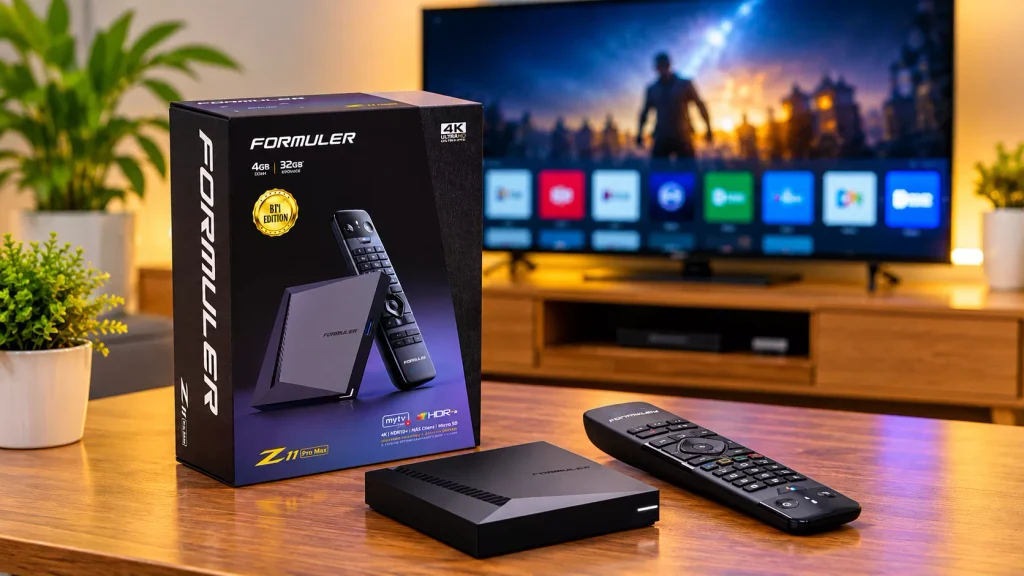
Formuler builds boxes mainly for IPTV. The Z11 Pro Max runs Android 11 on a Realtek RTD1319C chip with 4 GB RAM, 32 GB storage, Wi-Fi 6 and Gigabit Ethernet. It includes Formuler’s MyTVOnline 3 player, and you can add other apps from Google Play.
The main downside is age. Formuler launched the Z11 series in October 2022, and street prices vary widely, from roughly €155 to €170 in Europe to A$289 at one Australian retailer. Formuler also lists newer Z12-series models, so compare before you buy.
NVIDIA SHIELD TV Pro: Fastest, but Old and Expensive
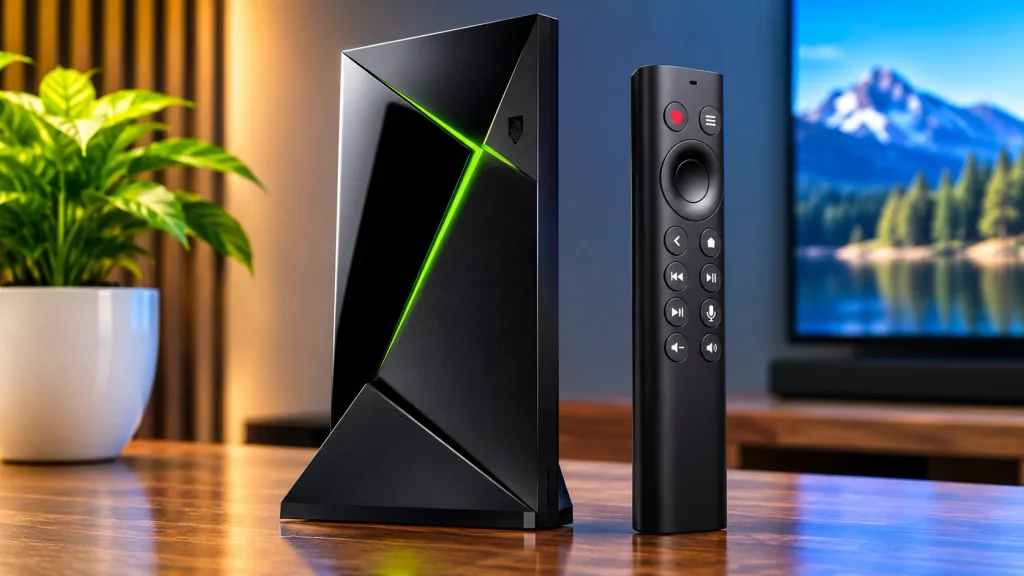
The SHIELD TV Pro uses a Tegra X1+ chip with 3 GB RAM, 16 GB storage, Gigabit Ethernet and two USB 3.0 ports. It offers AI upscaling to 4K and can run a Plex Media Server, which helps if you also want a home media setup. See our guide to IPTV on Plex.
The price is the problem. Tom’s Hardware reports that NVIDIA raised the Pro from $199 to $299 on October 2 and ended the cheaper standard model. For IPTV alone, $299.99 for 2019 hardware is hard to justify.
Infomir MAG 544w3: Best for Portal Logins
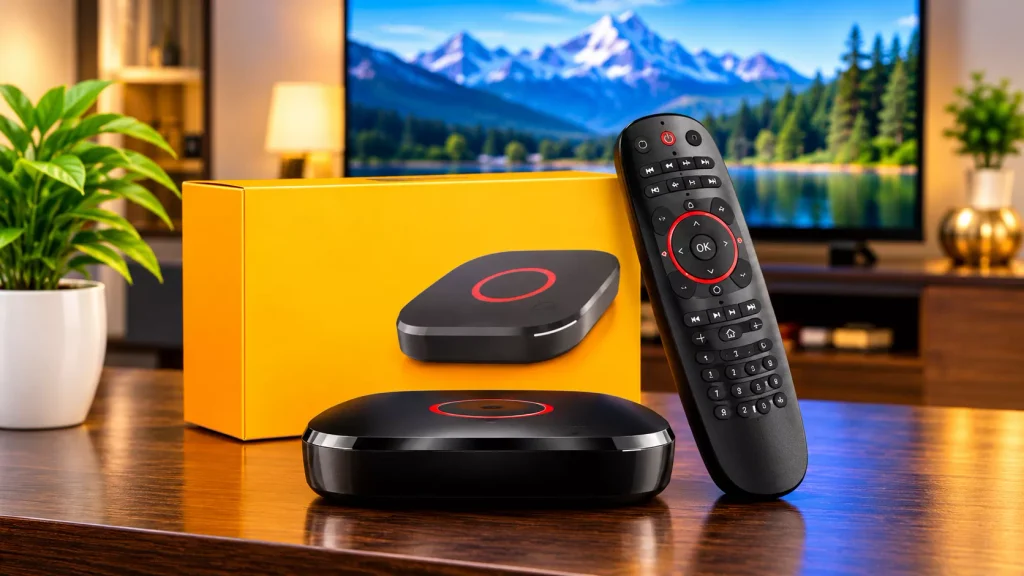
The MAG 544w3 runs Linux on an Amlogic S905Y4 chip with a quad-core Cortex-A35 CPU, 1 GB RAM and 4 GB storage. Infomir lists 4K HDR at 60 fps with HEVC and AV1 support. The “w3” version adds built-in Wi-Fi, which the plain 544 lacks.
Infomir designs MAG boxes for service operators, and they have no Play Store. They only work if your provider supports MAC or portal login. They are simple and stable, but 1 GB of RAM and a closed system leave little room to change apps.
Fire TV Stick 4K Max: Best Budget Option
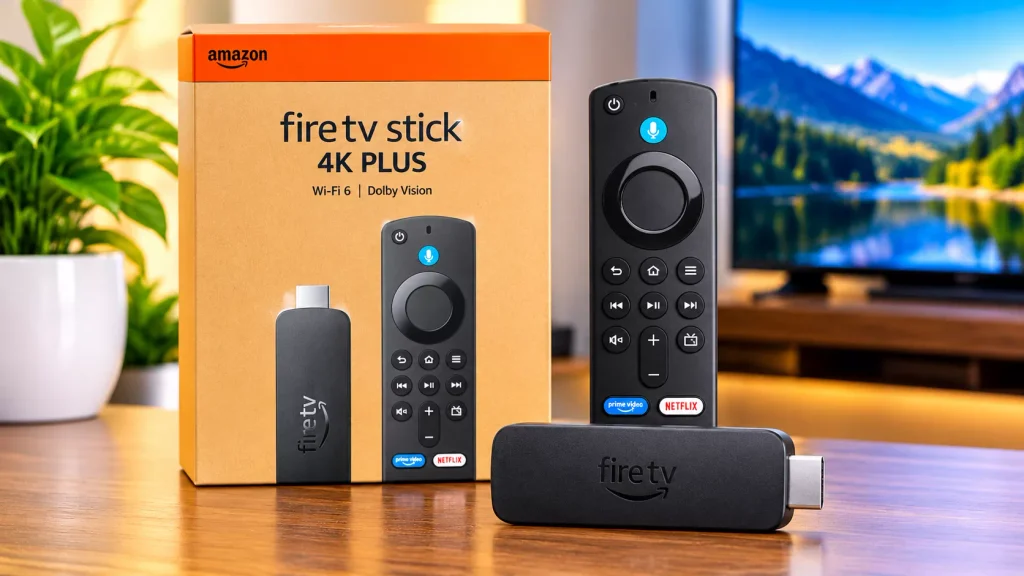
The Fire TV Stick 4K Max runs Fire OS 8, which is based on Android 11, and lists at $59.99. It has no Ethernet port, so wired use needs an adapter. For occasional viewing, it is the cheapest sensible entry point.
Check the model name carefully. Amazon’s newer sticks, including the 2025 Fire TV Stick 4K Select and the 2026 models, run Vega OS. BGR reports that these block sideloading, and many IPTV players are installed outside the Amazon Appstore. Our list of the best IPTV players shows which apps to look for.
Google TV Streamer and Apple TV 4K
The Google TV Streamer has 4 GB memory and 32 GB storage, and its price rose from $99.99 to $149.99. It runs Google TV, so you can install players from the Play Store. It suits people who want a mainstream device with better hardware than a stick.
Apple TV 4K makes sense only in Apple households, and app choice on tvOS differs from Android. Our guide to the IPTV player for iOS covers what is available on Apple devices.
Which IPTV Box Should You Buy?
- IPTV every day, with a guide and recording: Formuler Z11 Pro Max.
- Plex, gaming and speed, with a bigger budget: SHIELD TV Pro.
- Provider uses MAC or portal login: MAG 544w3.
- Occasional viewing on a tight budget: Fire TV Stick 4K Max.
- Play Store apps and a mainstream device: Google TV Streamer.
Buying in the USA? Stock, warranty and returns vary by device and seller, especially for MAG boxes that are sold mainly through European and specialty channels. Confirm the return policy before you pay.
IPTV Boxes to Avoid
Avoid preloaded or “jailbroken” boxes that promise free channels, unbranded boxes with unknown firmware, and sellers that push lifetime subscriptions. Research commissioned by the anti-piracy coalition ACE found that illegal streaming and IPTV services expose users to far more malware and payment fraud than legitimate platforms. ACE is an interested party, but the fraud risk applies to any unlicensed seller.
The hardware itself is legal. What you watch on it is a separate question of content licensing. For licensed options, see our guide to the best legal IPTV providers. Pay by credit card and buy from retailers with clear return policies.
Test Before You Commit
Buy the box only after you have confirmed your provider’s app works on it. Use a trial first, and our guide to the IPTV free trial explains what to check. If live sports are your main use, run the trial on a wired connection during a busy event, as covered in our IPTV sports guide.
IPTV Box FAQ
-
What is the best IPTV box in 2026?
For dedicated IPTV use, the Formuler Z11 Pro Max is the strongest choice. For speed and Plex, the NVIDIA SHIELD TV Pro is faster, but it now costs $299.99.
-
Do I need an IPTV box to watch IPTV?
No. Smart TVs, sticks and phones can run IPTV apps. A box helps with wired networking, more RAM and a better remote.
-
Does an IPTV box come with channels?
No. The box only plays content. You need a provider, plus an app or portal login that the box supports.
-
Is a MAG box better than an Android box?
Not always. MAG boxes are stable and simple for portal logins, but they have 1 GB RAM and no app store. Android boxes are more flexible.
-
How much RAM does an IPTV box need?
Aim for at least 2 GB. 4 GB gives more headroom for large channel lists and multitasking.
-
Which Fire TV Stick works with IPTV apps?
The Fire TV Stick 4K Max runs Fire OS and supports sideloading. Newer Vega OS sticks do not.