
Key Takeaways
- IPTV GitHub refers to open-source repositories on GitHub that collect links to publicly available TV streams and publish them as M3U playlists.
- The most popular one, iptv-org/iptv, stores links only. It hosts no video files.
- It has no on-demand library and does not accept Xtream Codes servers, according to its own FAQ.
- Free playlists are useful but unreliable. Links break, some channels are geo-blocked, and there is no support team.
- Laws differ by country, so check your local rules before streaming anything.
If you searched for IPTV GitHub, you probably want one of three things: free live TV, a straight answer on legality, or a way to build your own setup. All three are reasonable, and this guide covers each one.
GitHub is a website where developers share and update code. Over the years, volunteers have also used it to share lists of TV stream links. That is the whole idea behind IPTV GitHub, and it is more modest than the hype around it suggests.
Below, you will learn what these repositories are, how they work, what they leave out, and how to use them safely. If you are new to the basics, start with our guide on what IPTV is first.
What Is IPTV GitHub?
IPTV GitHub is a shorthand for GitHub repositories that gather links to live TV streams and publish them as playlist files. You copy one playlist link, paste it into a video player, and the channels load. Nothing is installed on your device except the player itself.
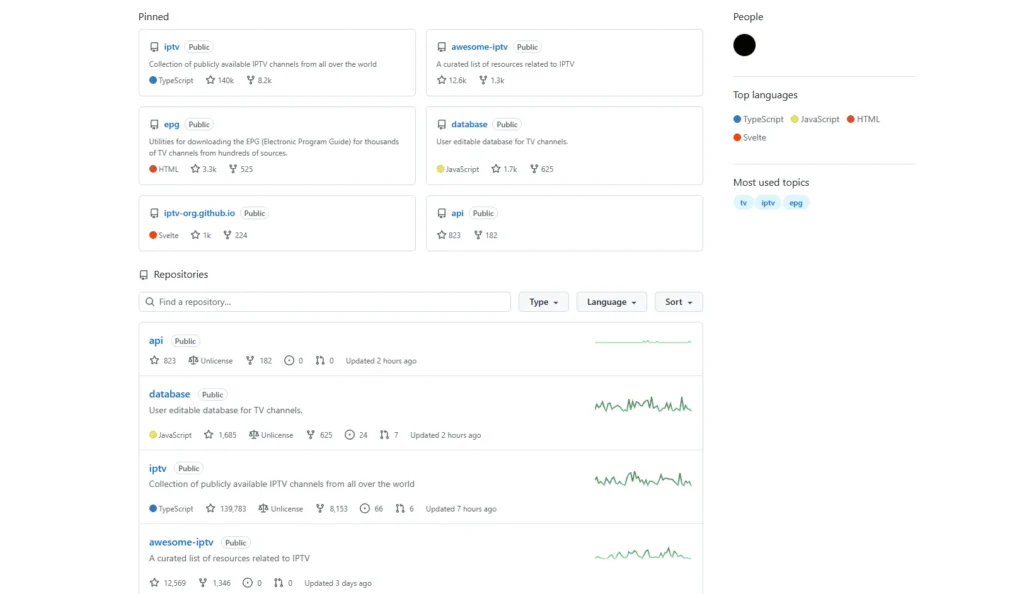
The biggest example is iptv-org. Its repository describes itself as a collection of publicly available IPTV channels from all over the world. At the time of writing, the repository shows roughly 139,000 stars and 8,100 forks, which makes it one of the most visible IPTV projects online.
It is not an app, and it is not a streaming service. It is a directory of links, kept up to date by a community.
Why So Many People Search for IPTV GitHub
Search intent here is mostly informational with a practical twist. People want to know what the term means, whether the playlists work, and whether using them is safe. A smaller group of developers wants the data, scripts, or API.
That mix explains why the topic keeps growing. GitHub feels trustworthy because it is a known platform, and “free” is always a strong search driver. But free playlists come with trade-offs, and most short guides skip them.
How the iptv-org Project Works
The project is more than one list. The main repository holds the playlists, and other repositories handle the supporting data.
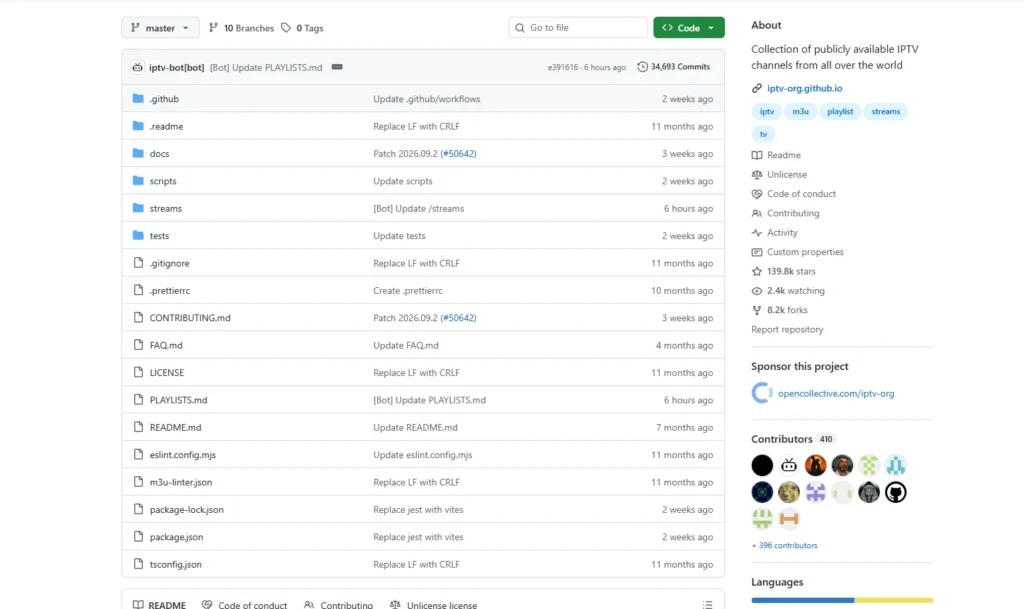
The playlists are grouped by country, language, and category, so you rarely need the full index. Channel details such as names and logos come from the iptv-org/database repository. Program schedules can be downloaded with the tools in iptv-org/epg, and other resources are collected in awesome-iptv.
Updates run through automated workflows. Community members submit new links through issues and pull requests, and a bot rebuilds the playlists. This is why the repository shows tens of thousands of commits.
What You Will Find, and What You Won’t
The main iptv-org playlist is a live TV list. It includes news, sports, music, kids, and general channels that broadcasters make available openly. Quality and availability vary from stream to stream.
There are clear limits. According to the project’s FAQ, it does not plan to add video on demand. It also excludes Xtream Codes links, because those streams “tend to be very unstable,” in the maintainers’ words.
Premium channels are not the goal either. If a channel normally sits behind a subscription, you should not expect a working link here. That is a design choice, not a flaw.
How to Use an IPTV GitHub Playlist
The process is simple and takes a few minutes.
- Open the repository and copy a playlist link. The main list is https://iptv-org.github.io/iptv/index.m3u, and other lists are in the PLAYLISTS.md file.
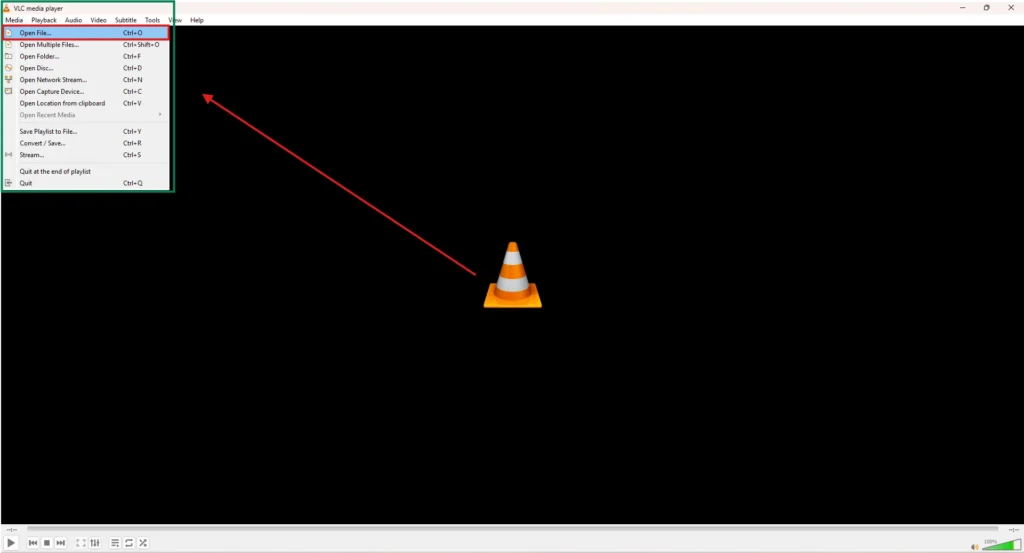
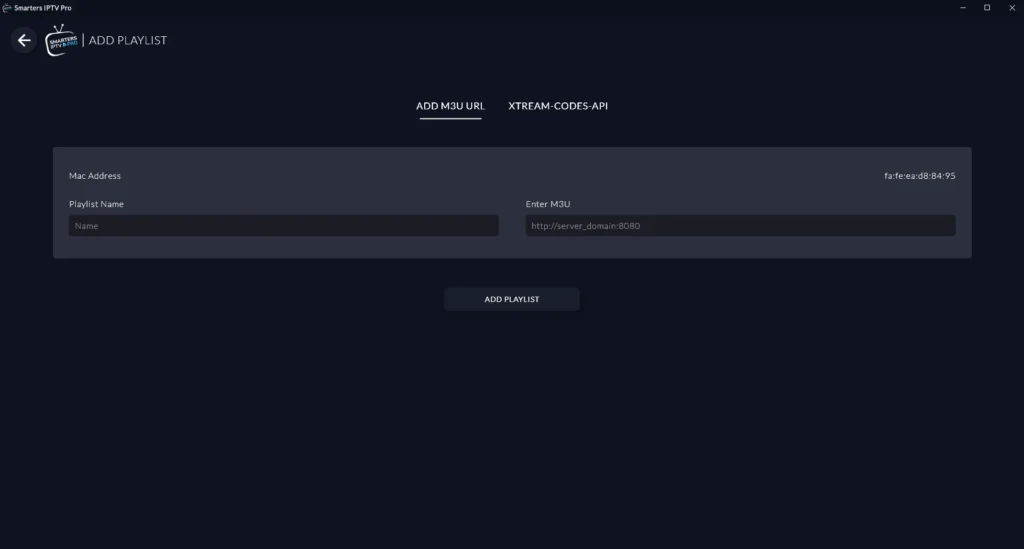
- Open a player that accepts network streams. VLC works on Windows, Mac, and Linux. For a dedicated TV-style app, see our roundup of the best IPTV players.
- Paste the link under “Open Network Stream” or “Add Playlist,” and save.
- Browse the channel list and test a few streams.
Choose a country or category list instead of the full index. Smaller lists load faster and have fewer dead links. If you want to understand the file format itself, our explainer on the M3U playlist and Xtream Codes covers it in plain language. The M3U format is also documented on Wikipedia.
Other IPTV GitHub Repositories Worth Knowing
iptv-org is not the only project. Free-TV/IPTV takes a stricter approach. Its stated goals are quality over quantity, one link per channel, and only channels that are officially free.
Some repositories go stale. For example, the IPTV-CN project states that it stopped maintaining its channel list after the 2020 Olympics. Always check the last update date before you trust a playlist.
Is IPTV GitHub Legal and Safe?
This is the question that matters most, and the honest answer has two parts. The iptv-org legal notice says the repository contains links to streams that, to the best of the maintainers’ knowledge, were made public on purpose by the copyright holders. It also says linking alone does not copy any content.
That does not guarantee that every link is legitimate or that every stream is lawful in your country. Anyone can submit links, and maintainers cannot control what sits at the destination. Copyright rules vary by country, so this is not legal advice.
For safety, stick to plain-text playlist files from well-known repositories. Avoid downloads such as .exe or .apk files, and avoid any repository that posts usernames and passwords for paid servers. Those are usually leaked or stolen logins, and using them is a bad idea for legal and security reasons.
The Real Limits of Free IPTV GitHub Playlists
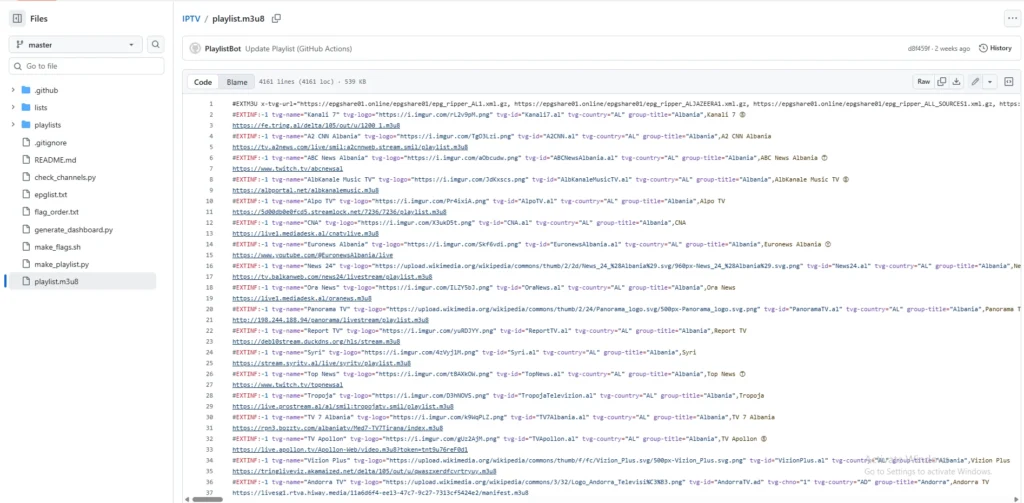
The biggest problem is reliability. A link can work today and fail tomorrow because a broadcaster changes its address or blocks a region. That is why the iptv-org FAQ points users to community discussions when a channel goes missing.
Program guides are another gap. A playlist alone shows channel names only, so you need a separate XMLTV file for schedules. Our guide to the electronic program guide (EPG) explains how this works, and XMLTV is the format most players expect.
There is also no support desk. When something breaks, you rely on community threads. For casual viewing, that is fine, but for daily viewing, it gets tiring.
IPTV GitHub vs a Paid IPTV Service
The two are built for different needs. GitHub playlists suit people who want a few free channels and enjoy tinkering. A paid service suits people who want a large library, a working guide, and someone to contact when a stream fails.
Paid providers typically offer live channels, on-demand libraries, and support in one package. Strive IPTV, for example, lists 26,000+ live channels on its site, and you can compare options on the plans page or see our list of cheap IPTV services. Setup steps are in the setup guide.
Neither option is right for everyone. If you only want local news and a few free channels, GitHub may be enough. If you want reliability and variety, a paid service usually fits better.
How to Check a GitHub IPTV Repository Before You Use It
A few quick checks save time and reduce risk. Look at the last commit date first, since a repository that has not changed in years will have many dead links. Then read the README and legal notice to see who runs the project and what it promises.
Next, check the number of contributors and open issues. An active project has recent discussion and fixes. Finally, test five to ten channels before you rely on the list.
Frequently Asked Questions
-
What does IPTV GitHub mean?
It means GitHub repositories that collect links to live TV streams and publish them as M3U playlists. The best-known example is iptv-org.
-
Is iptv-org free?
Yes, the playlists are free to use. You only need an internet connection and a compatible player.
-
Does IPTV GitHub include movies and series?
Not in iptv-org. Its FAQ says it has no plans to add video on demand.
-
Why do some channels not load?
Stream links change or get blocked, and some channels are limited to certain countries. Try another playlist or check the community discussions.
-
Do I need an EPG?
It is optional. A playlist works without one, but you will only see channel names, not schedules.
Final Verdict
IPTV GitHub is a helpful, community-built way to find free, publicly available live channels. It is best treated as a light, free option rather than a full TV replacement. Expect some dead links, no on-demand content, and no support.
Check the legality where you live, vet every repository, and pick the option that matches how you actually watch TV.