
Key Takeaways
- An adult M3U playlist is a plain text file of stream links. It does not contain any video itself.
- The playlist is only as good as the server behind it. A good file with a weak server still buffers.
- Free public lists often break, and they can carry privacy and security risks.
- Only adults should use these playlists. Many countries now require strict age checks on adult services.
- A quality adult M3U playlist has clean categories, working EPG data, stable streams, and fast support.
- M3U is one login method among several. Xtream Codes and MAC-based logins are common alternatives.
- The right player matters. VLC, Kodi, and dedicated IPTV apps all read M3U files, but each handles big lists differently.
- Pick a provider with a clear refund policy and a trial, so you can test before you commit.
Why This Guide Exists
Search for an adult M3U playlist, and you will find pages full of “free” links. Most are outdated, unsafe, or both. Very few explain what the file actually is or how to judge one.
This guide fixes that. You will learn how an adult M3U playlist works, what makes one the “best,” and how to set it up safely. Everything here is written for adults (18+) who want a stable, private setup.
What Is an Adult M3U Playlist?
An adult M3U playlist is a text file with the .m3u or .m3u8 extension. Inside, it holds a list of stream addresses for adult live channels and video-on-demand content. Your player reads the list and shows the channels as a menu.
The file does not store any video. Think of it as a phone book: it tells your player where to call, but the content lives on a server. M3U is also a de facto standard, not a formally specified format, which is why different players read the same file slightly differently. You can read more about the format on Wikipedia’s M3U page.
If you are new to the terms, our guide on what an M3U playlist and Xtream Codes are explains the basics in plain language.
How an Adult M3U Playlist Works
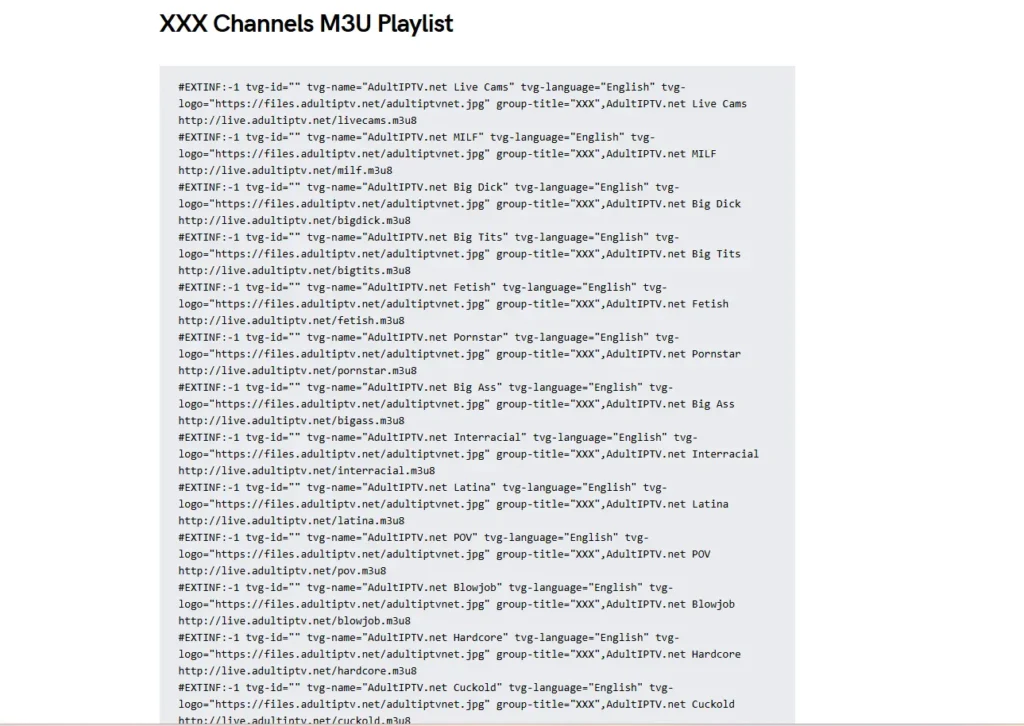
Every M3U file starts with a header line, #EXTM3U. After that, each channel gets two lines. The first line holds the channel name, logo, and group title. The second line holds the stream URL.
Your IPTV player loads the file, sorts channels by group, and plays the stream when you click. If the provider also supplies an electronic program guide (EPG), the player matches each channel to a schedule. That match is why some playlists feel polished while others feel like a messy list of names.

The same idea applies to video on demand. If you want to understand how on-demand libraries differ from live channels, read our explainer on what VOD is.
M3U vs Xtream Codes vs MAC Address
Providers usually offer more than one way to log in. Each has trade-offs, so it helps to know the differences before you choose.
An M3U URL works in almost every player. It is simple and portable, but very large playlists can load slowly. Xtream Codes login uses a username, password, and server address. Players often load these faster and show cleaner categories, and they can pull the EPG and on-demand library more smoothly. MAC address login ties the service to one device, which suits certain set-top apps but is less flexible.
For a side-by-side breakdown, see our comparison of IPTV URL, M3U vs MAC address. If you use a big list, ask your provider for the Xtream option too.
Free vs Paid Adult M3U Playlists
Free lists are tempting, but they come with real problems. Public links get reported and shut down, so they stop working without warning. The files are also shared with no accountability, which means nobody checks what is inside them.
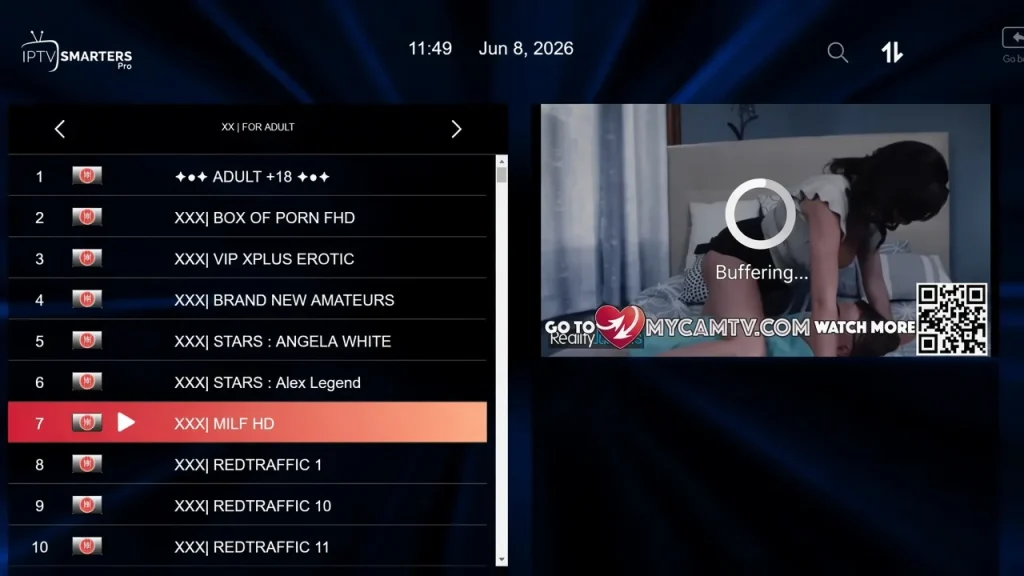
There is a privacy angle too. You may hand your IP address and viewing habits to servers you know nothing about. For a topic this personal, that matters.
A paid service from a real provider gives you something free lists cannot: a support contact and a stable server. If you want to test first, look for a provider with a free IPTV trial. If you are curious about public lists hosted on code-sharing sites, our IPTV GitHub guide explains what they really are and why they are unreliable.
Legal and Age Rules You Should Know
Adult content is regulated, and the rules are getting stricter. In the UK, for example, Ofcom requires services that allow pornography to use “highly effective age assurance” so children cannot normally see it. Other regions have their own laws, and they change often.
Two points follow from this. First, an adult M3U playlist is for adults only, and households with children should use device-level controls such as PINs and profiles. Second, always choose licensed, legitimate services. Our list of legal IPTV providers is a good place to start when you want to stay on the safe side.
Laws differ by country, so check the rules where you live before you subscribe.
Privacy and Security: Protect Yourself First
Because of the subject, privacy deserves extra care. Start with simple habits. Never install an unknown app just to “unlock” a playlist, and never enter payment details on a page you do not trust. Treat any file from a random forum as unsafe until proven otherwise.
Keep your player updated as well. Playlist files are read by software, and poorly handled files have caused security problems in media players in the past. Updating closes known gaps.
A VPN adds another layer by hiding your traffic from your internet provider. If you want help choosing one, read our guide to the best VPN for IPTV. Use a provider with a clear no-logs policy, and confirm that your IPTV service allows VPN connections.
What Makes the Best Adult M3U Playlist?
“Best” does not mean the longest channel list. It means the list that works every time you press play. Use these checks when you compare options.
Stable streams and uptime
Ask how the provider handles server load in the evening, when most people watch. A good service keeps streams steady at peak time. A free trial is the easiest way to test this for yourself.
Clean categories and channel names
A quality adult M3U playlist groups channels logically and labels them clearly. You should not have to scroll through thousands of duplicate or mislabeled entries. Clean naming saves time every day.
Working EPG and VOD
A good list includes program data and an on-demand section that loads without errors. Missing guide data is often a sign of a rushed setup.
Device support
Your playlist should work on your phone, TV box, and computer. Check that the provider supports the devices you own before paying.
Support and refund policy
Real support shows up when something breaks. A clear refund policy shows that the provider trusts its own service. Avoid any seller who hides these details.
How to Set Up an Adult M3U Playlist
Setup takes a few minutes on any device. The steps below cover the most common players.
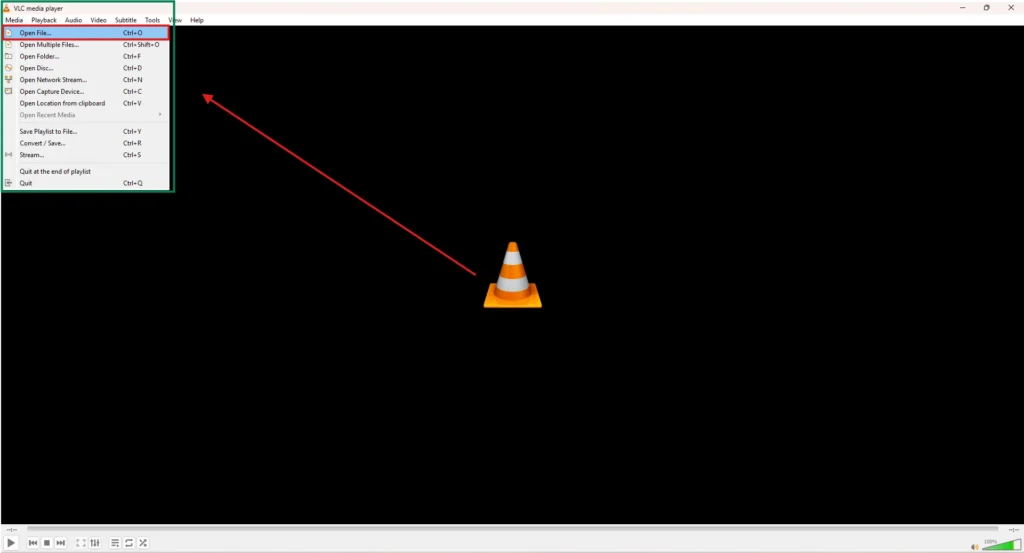
In VLC: Open VLC, choose Media, then Open Network Stream, and paste your M3U URL. VLC is free and works well for quick tests. You can download it from the official VideoLAN VLC page.
In Kodi: Install the PVR IPTV Simple Client add-on, open its settings, and enter your M3U URL as a remote path. Kodi’s own documentation explains each option in the PVR IPTV Simple Client guide.
In a dedicated IPTV app: Most apps ask for an M3U URL or Xtream login on first launch. These apps usually handle EPG and large lists better than general media players. Compare your options in our roundup of the best IPTV players. If you use an iPhone or iPad, see the best IPTV players for iOS; for PC users, the best IPTV player for Windows is a helpful read.
Fixing Common Problems
Most issues have simple causes. Here are the ones people hit most often.
If streams buffer, test your connection first. Wi-Fi is often the weak point, so try a cable or move closer to the router. Our guide on IPTV internet speed shows what to check.
If the playlist loads but shows no channels, re-copy the URL and look for missing characters. A single typo breaks the link. If the list loads slowly, try Xtream login instead of the M3U URL, or use a player built for big lists.
If channels are missing or show the wrong guide, refresh the EPG inside your player. If that fails, contact your provider, because the fix usually sits on their side.
Choosing a Provider You Can Trust
You do not need a long list of options. You need one service that stays online, responds to messages, and lets you leave if it is not a fit. Test before you pay, read the terms, and keep your payment details safe.
Strive IPTV is built around those points. It offers a large channel library, HD and 4K quality, multi-device support, and a 45-day refund policy. For a wider comparison of providers, see our IPTV service guide, and for this category specifically, read our full adult IPTV guide.
Frequently Asked Questions
-
What is an adult M3U playlist?
It is a text file that lists stream links for adult channels and on-demand content. Your player reads the file and shows the channels as a menu. The file itself contains no video.
-
Are free adult M3U playlists safe?
They carry more risk than paid services. Links break often, and nobody is accountable for what the file contains. A trusted provider with support is the safer choice.
-
Do I need a VPN for an adult M3U playlist?
A VPN is not required, but many adults use one for extra privacy. Check that your provider allows VPN use before you connect.
-
Which player is best for an adult M3U playlist?
VLC is good for quick tests, and Kodi suits advanced users. A dedicated IPTV app is usually best for daily viewing because it handles EPG and large lists well.
Final Verdict
The best adult M3U playlist is not the biggest one. It is the one with stable streams, clean categories, working guide data, and a provider who answers when you need help. Skip random free lists, protect your privacy, and follow the age and legal rules where you live.
Start with a trial, test the playlist on your own devices, and keep the refund policy in mind. Do that, and you will know within a day whether a service deserves your money.